


A service account is a special type of Applivery account intended to represent a non-human user that needs to authenticate and be authorized to access the Applivery Organizations API.
Typically, service accounts are used in scenarios such as running workloads that are not tied to the lifecycle of a human user or the performance of any automated task using the Applivery Organizations APIs.
Your application assumes the identity of the service account to call Applivery Organizations APIs so that the real users aren’t directly involved.
Managing service accounts #
Once you decide that you need a service account, you can ask yourself the following questions to understand how you’re going to use the service account:
- What resources can the service account access?
Every resource that can be accessed through the Applivery Dashboard could be also accessed through the Organizations API using a Service Account. - What permissions does the service account need?
Service Accounts support two types of permissions: Administrators and Developers.
Granting access to service accounts #
Granting access to a service account to access the API is similar to granting access to any other User. It can be performed from your Workspace Settings, under the Service Accounts section.
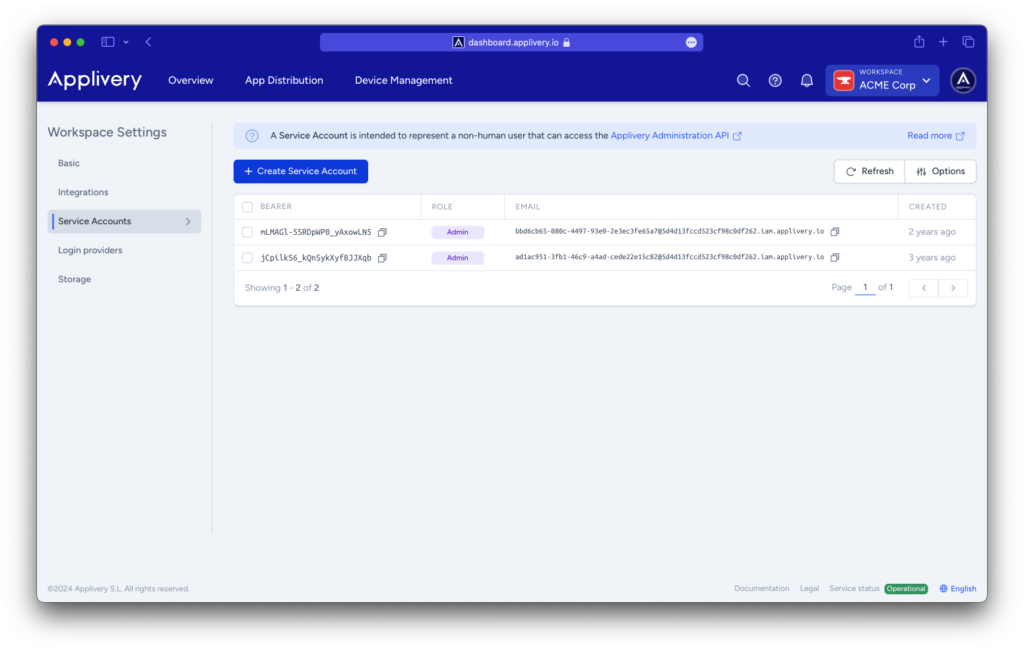
You can follow these easy steps:
- Click the + Create Service Account button.
- Select the Role (Admin, Developer, or Viewer) from the Role selector.
The new service account will be displayed below, including the authentication details:
- Account:
{service-account-id}@{organization-id}.iam.applivery.io - Bearer token:
{service-account-bearer-token}
Now that you have created your first Service account, you can check the Applivery Organizations API docs and discover the resources available.