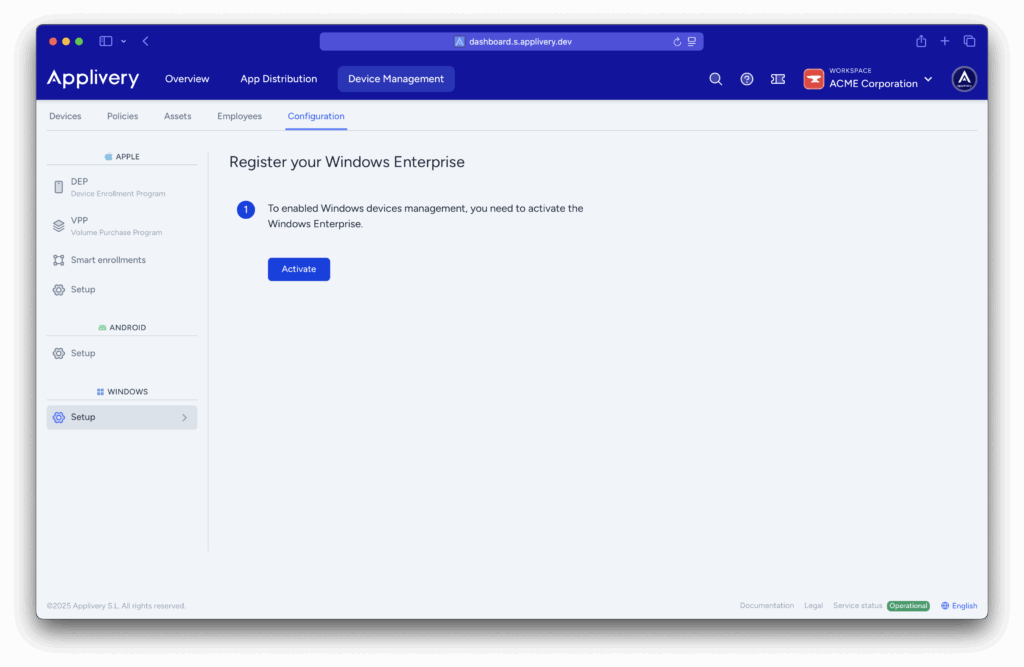
Get started with Windows Device Management Docs › Device Management › Windows MDM › Setup › Get started with Windows Device Management Before using Applivery Windows Device Management, you must enable your workspace to interact with Windows services and register your Windows Enterprise organization. Activate Windows Enterprise # Sign in to the Applivery Dashboard and navigate to Device Management > Configuration > Windows > Setup. Besides step 1, click the Activate button. You will now be able to customize the domain to enroll devices and start creating Smart enrollments. Updated on 23 de julho de 2025 Was this article helpful? On this page