
Recientemente, una actualización acumulativa rutinaria de Windows 11 se convirtió en una misión de recuperación de alto riesgo para los departamentos de IT de todo el mundo. Lo que debería haber sido un parche de seguridad estándar (KB5074109) para las versiones 24H2 y 25H2 ha provocado, en cambio, fallos críticos de inicio de sesión, bucles de recuperación de BitLocker y, en muchos casos, estaciones de trabajo completamente inutilizables.
Para las organizaciones que gestionan una fuerza de trabajo distribuida o instalaciones industriales, esto no es solo un fallo técnico: es un golpe directo a la productividad. En Applivery, nuestro equipo técnico ha trabajado estrechamente con los clientes afectados para identificar las rutas de recuperación más eficientes y las soluciones oficiales para que las flotas vuelvan a estar operativas de forma segura.
Cuando las actualizaciones bloquean las operaciones
Para un administrador de sistemas, el problema no es solo el fallo técnico, sino su escala. Al tratarse de una Actualización Acumulativa (LCU), desinstalarla no elimina únicamente un parche específico, sino todo el conjunto de correcciones de seguridad del mes, dejando el sistema vulnerable.
Este es el desafío al que se enfrentan actualmente los equipos de IT:
-
Fallos de autenticación: equipos que no logran llegar a la pantalla de inicio de sesión tras reiniciar.
-
Bucles de BitLocker: peticiones inesperadas de claves de recuperación durante el arranque.
-
Fragmentación operativa: la necesidad de gestionar dispositivos que aún arrancan frente a aquellos que ya están bloqueados en modo de recuperación.
Applivery: agilidad ante incidentes críticos
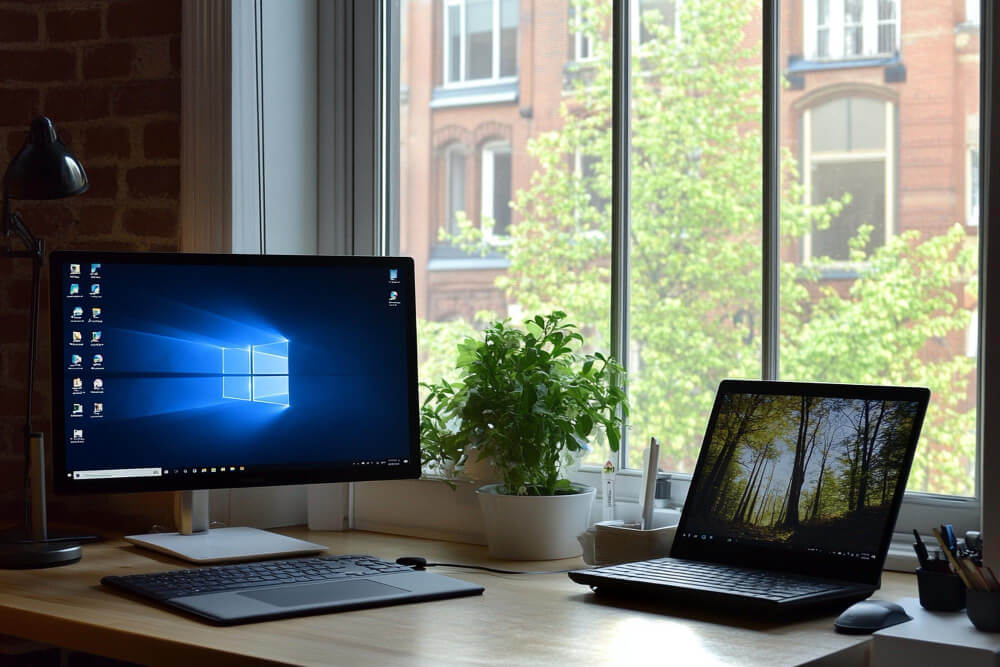
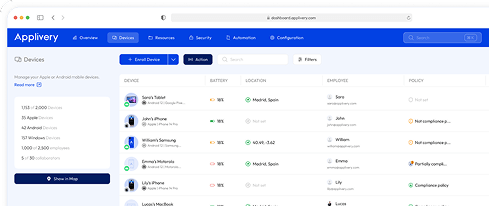
Como plataforma de Gestión Unificada de Dispositivos (UEM), Applivery permite responder a estos incidentes sin necesidad de intervención física en cada dispositivo. Nuestra capacidad para ejecutar scripts remotos y gestionar políticas de cumplimiento permite a tu equipo recuperar el control de la flota de manera masiva y centralizada.
de 14 días de Applivery
La recomendación de nuestro equipo: no retrocedas, avanza
El equipo técnico de Applivery ha verificado que la ruta más estable no es una desinstalación permanente, sino avanzar a la actualización fuera de banda (OOB) KB5077744. Esta versión específica fue diseñada para corregir las regresiones del parche anterior manteniendo intacta tu base de seguridad.
Estrategia de remediación paso a paso
En un despliegue real, no todos los dispositivos estarán en el mismo estado. Es fundamental distinguir entre dos escenarios claramente definidos para aplicar la corrección adecuada.
Dispositivos online (aún arrancan)
Situación típica
- El sistema arranca correctamente y puede estar en la pantalla de inicio de sesión.
- El usuario ha cerrado la sesión o no ha reiniciado desde la actualización.
- El dispositivo se encuentra actualmente en la build .7623.
Instalar la KB5077744 antes del próximo reinicio para evitar que el dispositivo entre en un bucle de recuperación de BitLocker.
Estrategia online
-
Detectar si el dispositivo está afectado.
-
Suspender BitLocker específicamente para el próximo reinicio.
-
Forzar la instalación de la actualización OOB KB5077744.
-
Reiniciar de forma controlada.
Script online: detección y corrección
Este script, diseñado para ejecutarse como Administrador o SYSTEM, se dirige a máquinas que aún no han reiniciado en modo recuperación.
<# Fix-KB5074109-Online.ps1
Run as Administrator (or SYSTEM). Designed for machines that are still booted (haven’t rebooted into recovery).
#>

[CmdletBinding()]
param(
  [int]$KbProblem = 5074109,
  [int]$KbFix     = 5077744,

  [int[]]$TargetBuilds = @(26100, 26200),
  [int]$TargetUbr = 7623,

  # Optional: path to KB5077744 MSU (local path or UNC), e.g. \\server\share\KB5077744.msu
  [string]$MsuPath,

  # Exit 3010 if reboot required (recommended for deployment systems)
  [switch]$Return3010OnRebootRequired,

  [switch]$WhatIfOnly
)

function Assert-AdminOrSystem {
  $id = [Security.Principal.WindowsIdentity]::GetCurrent()
  $isSystem = $id.IsSystem
  $isAdmin = ([Security.Principal.WindowsPrincipal]$id).IsInRole([Security.Principal.WindowsBuiltInRole]::Administrator)
  if (-not ($isSystem -or $isAdmin)) { throw "Run as Administrator or SYSTEM." }
}

function Get-OsBuildInfo {
  $cv = Get-ItemProperty "HKLM:\SOFTWARE\Microsoft\Windows NT\CurrentVersion"
  [pscustomobject]@{
    Build          = [int]$cv.CurrentBuildNumber
    Ubr            = [int]$cv.UBR
    DisplayVersion = $cv.DisplayVersion
  }
}

function Test-KbInstalled([int]$KbId) {
  try { Get-HotFix -Id ("KB{0}" -f $KbId) -ErrorAction Stop | Out-Null; return $true } catch { return $false }
}

function Suspend-BitLockerOneReboot {
  # Best-effort: avoid BitLocker recovery loops after reboot
  try {
    if (Get-Command Suspend-BitLocker -ErrorAction SilentlyContinue) {
      if ($WhatIfOnly) { Write-Host "(WhatIf) Suspend-BitLocker -MountPoint C: -RebootCount 1"; return }
      Suspend-BitLocker -MountPoint "C:" -RebootCount 1 -ErrorAction Stop
      Write-Host "BitLocker suspended for 1 reboot (C:)." -ForegroundColor Yellow
      return
    }
  } catch {
    Write-Warning "Suspend-BitLocker failed: $($_.Exception.Message)"
  }

  try {
    $manageBde = Join-Path $env:SystemRoot "System32\manage-bde.exe"
    if (Test-Path $manageBde) {
      if ($WhatIfOnly) { Write-Host "(WhatIf) manage-bde -protectors -disable C: -rebootcount 1"; return }
      $p = Start-Process -FilePath $manageBde -ArgumentList @("-protectors","-disable","C:","-rebootcount","1") -Wait -PassThru -NoNewWindow
      Write-Host "manage-bde exit code: $($p.ExitCode)" -ForegroundColor Yellow
    }
  } catch {
    Write-Warning "manage-bde fallback failed: $($_.Exception.Message)"
  }
}

function Install-Msu([string]$Path) {
  if (-not (Test-Path $Path)) { throw "MSU not found: $Path" }
  $wusa = Join-Path $env:SystemRoot "System32\wusa.exe"
  if (-not (Test-Path $wusa)) { throw "wusa.exe not found at $wusa" }

  Write-Host "Installing MSU: $Path" -ForegroundColor Yellow
  if ($WhatIfOnly) { Write-Host "(WhatIf) wusa `"$Path`" /quiet /norestart"; return $false }

  $p = Start-Process -FilePath $wusa -ArgumentList @("`"$Path`"","/quiet","/norestart") -Wait -PassThru -NoNewWindow
  Write-Host "WUSA exit code: $($p.ExitCode)"
  # WUSA: 3010 often indicates reboot required; sometimes it returns 0 but still needs reboot
  return ($p.ExitCode -eq 3010)
}

function Install-KbViaWindowsUpdateApi([int]$KbFix) {
  Write-Host "Searching Windows Update for KB$KbFix..." -ForegroundColor Cyan
  if ($WhatIfOnly) { Write-Host "(WhatIf) Would search/download/install KB$KbFix"; return $false }

  $session = New-Object -ComObject Microsoft.Update.Session
  $searcher = $session.CreateUpdateSearcher()
  $result = $searcher.Search("IsInstalled=0 and Type='Software' and IsHidden=0")

  $updatesToInstall = New-Object -ComObject Microsoft.Update.UpdateColl
  for ($i=0; $i -lt $result.Updates.Count; $i++) {
    $u = $result.Updates.Item($i)
    if ($u.KBArticleIDs -contains $KbFix.ToString()) {
      Write-Host "Found: $($u.Title)" -ForegroundColor Green
      $null = $updatesToInstall.Add($u)
    }
  }

  if ($updatesToInstall.Count -eq 0) {
    throw "KB$KbFix not found via Windows Update API (may be blocked by policy/WSUS or not applicable)."
  }

  Write-Host "Downloading..." -ForegroundColor Cyan
  $downloader = $session.CreateUpdateDownloader()
  $downloader.Updates = $updatesToInstall
  $dl = $downloader.Download()

  Write-Host "Installing..." -ForegroundColor Cyan
  $installer = $session.CreateUpdateInstaller()
  $installer.Updates = $updatesToInstall
  $inst = $installer.Install()

  return [bool]$inst.RebootRequired
}

# ---------------- MAIN ----------------
Assert-AdminOrSystem

$os = Get-OsBuildInfo
Write-Host "OS: Windows 11 $($os.DisplayVersion) — Build $($os.Build).$($os.Ubr)"

if (-not ($TargetBuilds -contains $os.Build)) { Write-Host "Not target base build. No action." -ForegroundColor Green; exit 0 }
if ($os.Ubr -ne $TargetUbr) { Write-Host "Not on UBR $TargetUbr. No action." -ForegroundColor Green; exit 0 }

$hasProblem = Test-KbInstalled $KbProblem
$hasFix     = Test-KbInstalled $KbFix

Write-Host "KB$KbProblem=$hasProblem; KB$KbFix=$hasFix"
if (-not $hasProblem) { Write-Host "KB$KbProblem not detected. No action." -ForegroundColor Green; exit 0 }
if ($hasFix) { Write-Host "KB$KbFix already installed. No action." -ForegroundColor Green; exit 0 }

Suspend-BitLockerOneReboot

$rebootRequired = $false
if ($MsuPath) {
  $rebootRequired = Install-Msu -Path $MsuPath
} else {
  $rebootRequired = Install-KbViaWindowsUpdateApi -KbFix $KbFix
}

Write-Host "KB$KbFix installation triggered. RebootRequired=$rebootRequired" -ForegroundColor Yellow

if ($rebootRequired -and $Return3010OnRebootRequired) { exit 3010 }
exit 0
Cuándo utilizarlo: se detecta la build
26100.7623o26200.7623con la KB5074109 instalada pero sin la KB5077744.Qué hace: valida el sistema, realiza una suspensión temporal de BitLocker (best-effort) e instala la corrección.
Procedimiento recomendado: descargar el archivo
.msua un recurso de red compartido y ejecutar el script a través de Applivery para evitar dependencias de Windows Update en tiempo real en despliegues masivos.
Dispositivos offline (Bloqueados en recuperación)
Situación típica
- El dispositivo no llega a la pantalla de inicio de sesión.
- Aparece un aviso de recuperación de BitLocker o el sistema arranca directamente en WinRE.
- No se pueden ejecutar scripts online.
Recuperar el acceso al sistema y devolver el dispositivo a un estado funcional y soportado.
Estrategia offline
-
Arrancar en el Entorno de Recuperación de Windows (WinRE).
-
Desbloquear la unidad utilizando la clave de recuperación de BitLocker.
-
Detectar la instalación de Windows offline.
-
Eliminar el paquete problemático (RollupFix .7623).
-
Aplicar la KB5077744 offline (opcional pero muy recomendable).
-
Reiniciar.
Script offline— WinRE
WinRE Este script realiza el mantenimiento offline dentro del entorno de recuperación.
<# Fix-KB5074109-WinRE.ps1
Run inside WinRE / Recovery PowerShell.
This script performs OFFLINE servicing:
- Unlock BitLocker if needed
- Identify offline Windows volume
- Remove the RollupFix package matching 26100.7623 or 26200.7623 (KB5074109)
- Optionally apply KB5077744 offline via DISM Add-Package from CAB

Usage examples:
  powershell -ExecutionPolicy Bypass -File X:\Fix-KB5074109-WinRE.ps1 -RecoveryKey "111111-222222-..." -MsuPath "E:\KB5077744.msu"
  powershell -ExecutionPolicy Bypass -File X:\Fix-KB5074109-WinRE.ps1 -RecoveryKey "..." -CabPath "E:\Windows11.0-KB5077744-x64.cab"
#>

[CmdletBinding()]
param(
  # Optional BitLocker recovery key if the OS volume is locked
  [string]$RecoveryKey,

  # Optional: path to KB5077744 .msu (on USB or local WinRE drive letter)
  [string]$MsuPath,

  # Optional: path to extracted CAB (preferred if you already have it)
  [string]$CabPath,

  [switch]$WhatIfOnly
)

function Run([string]$File, [string[]]$Args) {
  Write-Host ">> $File $($Args -join ' ')" -ForegroundColor Cyan
  if ($WhatIfOnly) { return 0 }
  $p = Start-Process -FilePath $File -ArgumentList $Args -Wait -PassThru -NoNewWindow
  return $p.ExitCode
}

function Get-OffWinDir {
  # Find the drive that contains Windows\System32\config (offline registry hives)
  $drives = Get-PSDrive -PSProvider FileSystem | Where-Object { $_.Free -ge 0 }
  foreach ($d in $drives) {
    $cand = Join-Path $d.Root "Windows\System32\config"
    if (Test-Path $cand) {
      return (Join-Path $d.Root "Windows")
    }
  }
  throw "Offline Windows directory not found. Verify drive letters in WinRE."
}

function Get-OsBuildInfoOffline([string]$WinDir) {
  $hivePath = Join-Path $WinDir "System32\config\SOFTWARE"
  $tempKey = "HKLM\OFFSOFT"

  # Load hive
  $rc = Run "reg.exe" @("load",$tempKey,$hivePath)
  if ($rc -ne 0) { throw "Failed to load offline SOFTWARE hive. reg load exit code $rc" }

  try {
    $cv = Get-ItemProperty "Registry::$tempKey\Microsoft\Windows NT\CurrentVersion"
    return [pscustomobject]@{
      Build = [int]$cv.CurrentBuildNumber
      Ubr   = [int]$cv.UBR
      DisplayVersion = $cv.DisplayVersion
    }
  } finally {
    Run "reg.exe" @("unload",$tempKey) | Out-Null
  }
}

function Unlock-BitLockerIfNeeded([string]$WinDir, [string]$RecoveryKey) {
  # Determine drive letter of WinDir root
  $root = Split-Path $WinDir -Qualifier
  $drive = $root.TrimEnd('\')

  # If manage-bde exists in WinRE
  $manageBde = Join-Path $env:SystemRoot "System32\manage-bde.exe"
  if (-not (Test-Path $manageBde)) { return }

  # Check lock status
  $status = & $manageBde -status $drive 2>$null | Out-String
  if ($status -match "Lock Status:\s*Locked") {
    if (-not $RecoveryKey) { throw "OS volume ($drive) is locked. Provide -RecoveryKey to unlock BitLocker." }
    Write-Host "Unlocking BitLocker volume $drive with recovery key..." -ForegroundColor Yellow
    if (-not $WhatIfOnly) {
      & $manageBde -unlock $drive -RecoveryPassword $RecoveryKey | Out-Null
    } else {
      Write-Host "(WhatIf) manage-bde -unlock $drive -RecoveryPassword <key>"
    }
  }
}

function Find-RollupFixPackageName([string]$ImageRoot, [int[]]$Builds = @(26100,26200), [int]$Ubr = 7623) {
  # dism /image:<root> /get-packages /format:table
  $dism = Join-Path $env:SystemRoot "System32\dism.exe"
  if (-not (Test-Path $dism)) { throw "dism.exe not found in WinRE." }

  $args = @("/Image:$ImageRoot","/Get-Packages","/Format:Table")
  Write-Host "Querying packages..." -ForegroundColor Cyan
  $out = & $dism @args 2>&1 | Out-String

  # We want a line containing:
  # Package_for_RollupFix~31bf3856ad364e35~amd64~~26100.7623.1.xx
  foreach ($b in $Builds) {
    $pattern = "Package_for_RollupFix~31bf3856ad364e35~amd64~~$b\.$Ubr\.1\.\d+"
    $m = [regex]::Match($out, $pattern)
    if ($m.Success) { return $m.Value }
  }

  return $null
}

function Remove-PackageOffline([string]$ImageRoot, [string]$PackageName) {
  $dism = Join-Path $env:SystemRoot "System32\dism.exe"
  Write-Host "Removing package: $PackageName" -ForegroundColor Yellow
  $rc = Run $dism @("/Image:$ImageRoot","/Remove-Package","/PackageName:$PackageName","/Quiet","/NoRestart")
  if ($rc -ne 0) { throw "DISM remove-package failed with exit code $rc" }
}

function Extract-CabFromMsu([string]$MsuPath, [string]$OutDir) {
  if (-not (Test-Path $MsuPath)) { throw "MSU not found: $MsuPath" }
  if (-not (Test-Path $OutDir)) { New-Item -ItemType Directory -Path $OutDir | Out-Null }

  # expand.exe is usually available
  $expand = Join-Path $env:SystemRoot "System32\expand.exe"
  if (-not (Test-Path $expand)) { throw "expand.exe not found in WinRE." }

  Write-Host "Extracting MSU to $OutDir ..." -ForegroundColor Cyan
  $rc = Run $expand @("-F:*",$MsuPath,$OutDir)
  if ($rc -ne 0) { throw "expand.exe failed with exit code $rc" }

  $cab = Get-ChildItem -Path $OutDir -Filter "*.cab" -ErrorAction SilentlyContinue | Select-Object -First 1
  if (-not $cab) { throw "No CAB found after extracting MSU. Check MSU contents." }
  return $cab.FullName
}

function Add-PackageOffline([string]$ImageRoot, [string]$CabPath) {
  if (-not (Test-Path $CabPath)) { throw "CAB not found: $CabPath" }
  $dism = Join-Path $env:SystemRoot "System32\dism.exe"
  Write-Host "Adding package (offline): $CabPath" -ForegroundColor Yellow
  $rc = Run $dism @("/Image:$ImageRoot","/Add-Package","/PackagePath:$CabPath","/Quiet","/NoRestart")
  if ($rc -ne 0) { throw "DISM add-package failed with exit code $rc" }
}

# ---------------- MAIN ----------------
$winDir = Get-OffWinDir
$root = Split-Path $winDir -Qualifier
$imageRoot = $root.TrimEnd('\')   # e.g. D:

Write-Host "Offline Windows detected at: $winDir (ImageRoot: $imageRoot)" -ForegroundColor Green

Unlock-BitLockerIfNeeded -WinDir $winDir -RecoveryKey $RecoveryKey

$os = Get-OsBuildInfoOffline -WinDir $winDir
Write-Host "Offline OS: Windows 11 $($os.DisplayVersion) — Build $($os.Build).$($os.Ubr)"

# Only target 26100/26200 and UBR 7623
if (@(26100,26200) -notcontains $os.Build) {
  Write-Host "Not target build (26100/26200). Exiting without changes." -ForegroundColor Green
  exit 0
}
if ($os.Ubr -ne 7623) {
  Write-Host "Not on UBR 7623. Exiting without changes." -ForegroundColor Green
  exit 0
}

$pkg = Find-RollupFixPackageName -ImageRoot $imageRoot
if (-not $pkg) {
  throw "Could not locate RollupFix package for build $($os.Build).7623 in offline image."
}

Remove-PackageOffline -ImageRoot $imageRoot -PackageName $pkg

# Optional: apply KB5077744 offline (recommended)
if ($CabPath -or $MsuPath) {
  $cabToUse = $CabPath
  if (-not $cabToUse) {
    $tmp = Join-Path $env:TEMP "KB5077744_EXTRACT"
    $cabToUse = Extract-CabFromMsu -MsuPath $MsuPath -OutDir $tmp
  }
  Add-PackageOffline -ImageRoot $imageRoot -CabPath $cabToUse
  Write-Host "Offline fix package applied. Reboot to finalize." -ForegroundColor Green
} else {
  Write-Host "Rollback done. No OOB applied (no -MsuPath/-CabPath provided). Reboot, then apply KB5077744 online ASAP." -ForegroundColor Yellow
}

Write-Host "Done. Reboot the device." -ForegroundColor Green
exit 0
- Cuándo utilizarlo: el sistema no arranca y requiere intervención manual o del soporte técnico.
- Qué hace: identifica automáticamente la partición, lee la versión del registro offline y elimina la asociación con la KB5074109.
- Procedimiento recomendado: arrancar en Recuperación, abrir PowerShell y ejecutar el script apuntando a tu clave de recuperación y al archivo de corrección en una unidad USB.
Recomendaciones para equipos de IT
- Cumplimiento de builds: no dejes dispositivos en la build .7623.
- Evita retrocesos temporales: no trates la desinstalación de la KB5074109 como una solución definitiva; avanza siempre a la KB5077744.
- Seguridad de BitLocker: suspende BitLocker solo de forma temporal durante el proceso de remediación.
- Gestión de claves: asegúrate de que tu equipo tenga acceso inmediato a las claves de recuperación de BitLocker para todos los dispositivos gestionados.
Navegando por las futuras actualizaciones de Windows con confianza
Este incidente refuerza la propuesta de valor de Applivery: unificar la seguridad con la agilidad operativa.
-
Control centralizado: gestionas Windows, iOS y Android desde una única consola, eliminando la complejidad de las soluciones fragmentadas.
-
Resiliencia: nuestra arquitectura basada en API permite construir estrategias de DevOps modulares que no dependen de las decisiones de un único proveedor de software.
-
Compromiso con el cliente: el equipo de Applivery actúa de forma proactiva, identificando soluciones técnicas antes de que se conviertan en una parálisis operativa para tu empresa.
La diferencia entre una crisis prolongada y una recuperación controlada radica en tener la visibilidad y las herramientas adecuadas. Gracias a la rápida identificación de la solución por parte de nuestro equipo, los usuarios de Applivery pueden asegurar sus flotas en cuestión de minutos, transformando un fallo crítico en una tarea de mantenimiento gestionada.
¿Listo para optimizar tus operaciones de Windows? Explora nuestras soluciones de gestión de dispositivos Windows y aprende cómo recuperar el control total sobre tu flota, incluso durante incidentes críticos. ¡Contáctanos o solicita una demo hoy mismo!
Preguntas Frecuentes (FAQ)
¿Por qué no debería simplemente desinstalar la KB5074109 y esperar a la actualización del mes que viene?
No se recomienda desinstalar la KB5074109 porque es una Actualización Acumulativa (LCU). Al eliminarla, no solo reviertes un error específico, sino que eliminas todos los parches de seguridad y correcciones de cumplimiento lanzados durante ese mes, dejando tu flota vulnerable a exploits conocidos. La ruta oficial y más segura, identificada por nuestro equipo, es avanzar hacia la actualización fuera de banda KB5077744, que resuelve las regresiones de inicio de sesión manteniendo intacta tu base de seguridad.
¿Cuál es el error más común al intentar recuperar equipos atrapados en un bucle de BitLocker?
El error más común es intentar una "Reparación de inicio" o una "Restauración del sistema" sin identificar primero la versión de la build offline. Dado que el problema está ligado específicamente a la build .7623, las reparaciones genéricas suelen fallar. El uso de nuestro script de remediación para WinRE permite atacar específicamente el paquete Package_for_RollupFix asociado al incidente y forzar manualmente el sistema hacia la build .7627, ahorrando horas de soporte técnico manual.
¿Cómo acelera la recuperación una plataforma UEM como Applivery en comparación con la intervención manual de IT?
En un escenario manual, los técnicos de IT deben acceder físicamente a cada dispositivo o guiar a los usuarios a través de instrucciones complejas en el Entorno de Recuperación. Con la gestión de dispositivos Windows de Applivery, puedes:
Identificar: segmentar instantáneamente tu flota para localizar exactamente qué dispositivos tienen las builds afectadas.
Automatizar: desplegar el script de remediación "Online" a todos los equipos activos para suspender BitLocker y forzar la solución antes de que lleguen a fallar.
Escalar: gestionar miles de dispositivos simultáneamente desde una sola consola, uniendo la seguridad con la agilidad operativa.