
At Applivery, we’ve been working on something bigger than a redesign.
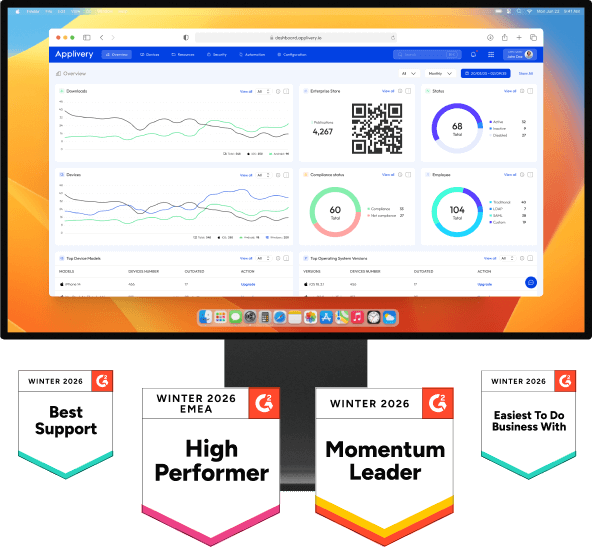
Today, we’re introducing a new generation of the Applivery Dashboard, built around a single idea: help IT teams move from manual device management to autonomous, use-driven operations.
This release combines:
- A fully rethought navigation model
- A segment-centric architecture that spans the entire platform
- And the foundations of Autonomous Endpoint Management (AEM)
Let’s break it down.
A dashboard redesigned around real workflows
As organizations grow, complexity grows with them. One of the most consistent challenges we observed was that as environments scale, administrators need clearer separation between responsibilities, actions and configuration scopes.
The new Applivery Dashboard introduces a navigation model designed around intent and workflows, allowing administrators to focus on what they want to achieve rather than where features are located.
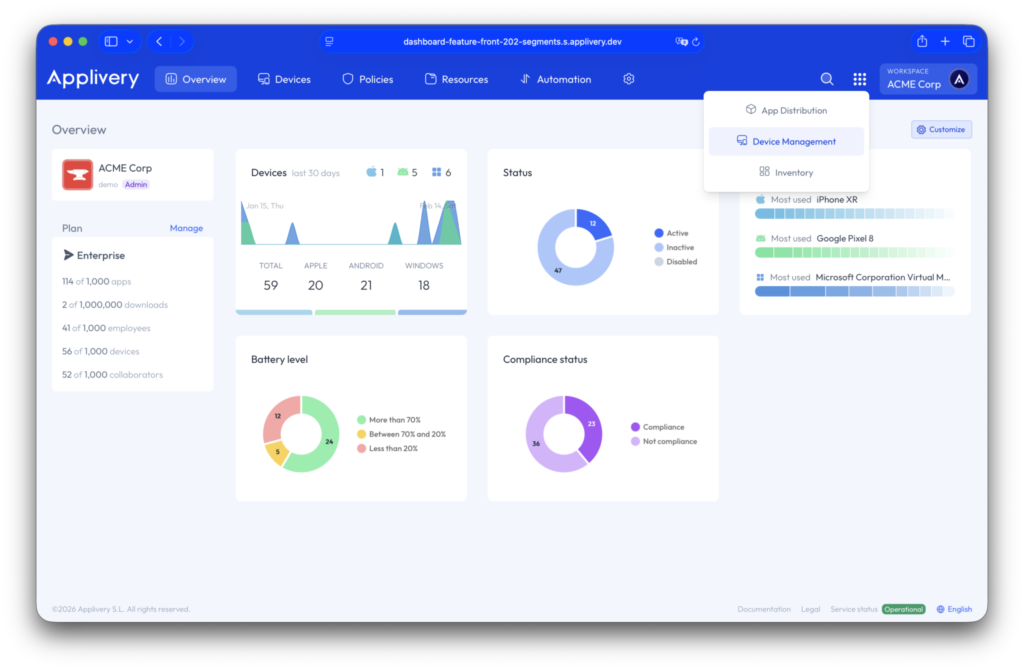
A new product selector for instant access
App Distribution and Device Management are no longer mixed within the same navigation context, even though they are more connected than ever.
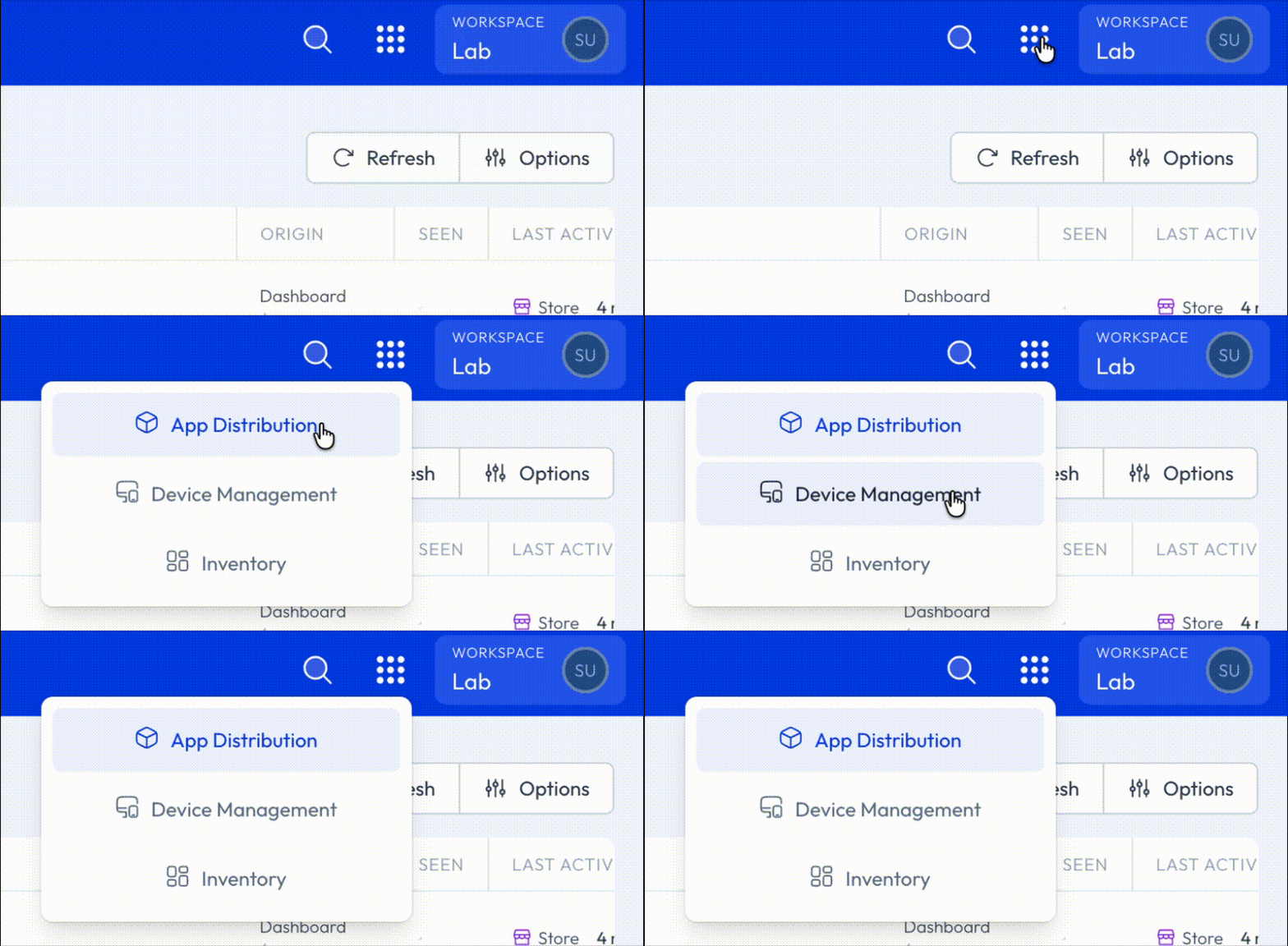
A new Product selection dropdown menu now allows administrators to explicitly select the product they want to work with:
- App Distribution: focused on application lifecycle management and the Enterprise App Store.
- Device Management: dedicated to Unified Endpoint Management across Apple, Android and Window.
- Inventory: providing centralized visibility into hardware assets, whether enrolled or not.
This change dramatically reduces cognitive load and makes it easier to operate complex environments with multiple teams and responsibilities and provides us with a new way to grow Applivery without visual complexity empowering contextual navigation.
Faster and more consistent access to configurations
Each product now includes its own configuration area, accessible through a new gear menu in the top navigation bar.
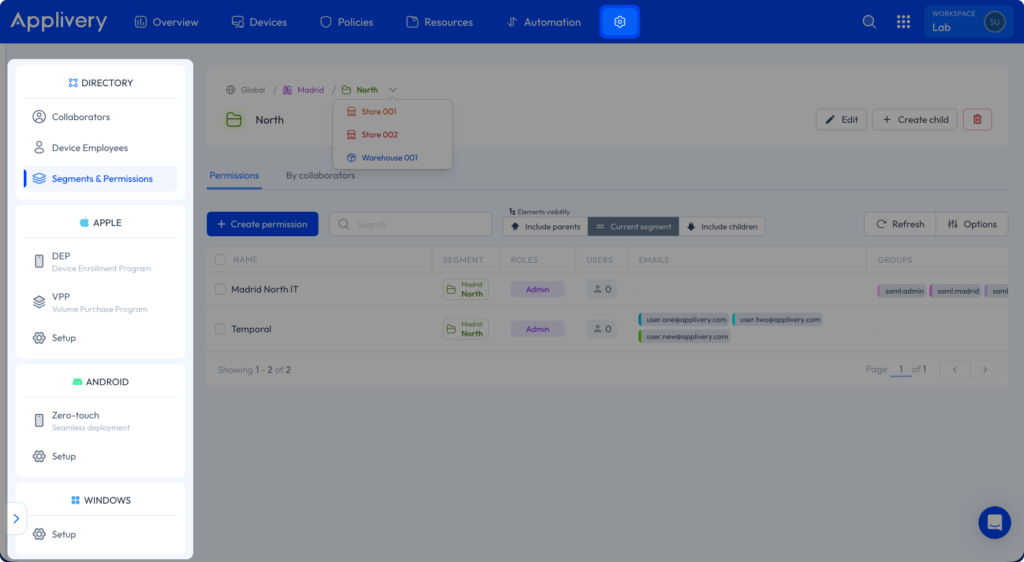
This ensures that the most frequently used and product-specific settings are always available within one click, improving efficiency and reducing unnecessary context switching during day-to-day operations.
Device Management, restructured for scale and automation
Within Device Management, we’ve introduced key structural changes to support larger and more complex deployments. Overview, Devices and Policies are now at the top level of the menu, accompanied by two new elements that make a difference:

Resources: a unified view of assets and certificates
The former Assets section has evolved into Resources. In addition to containing all existing asset-related elements, this new section now centralizes everything related to certificates.
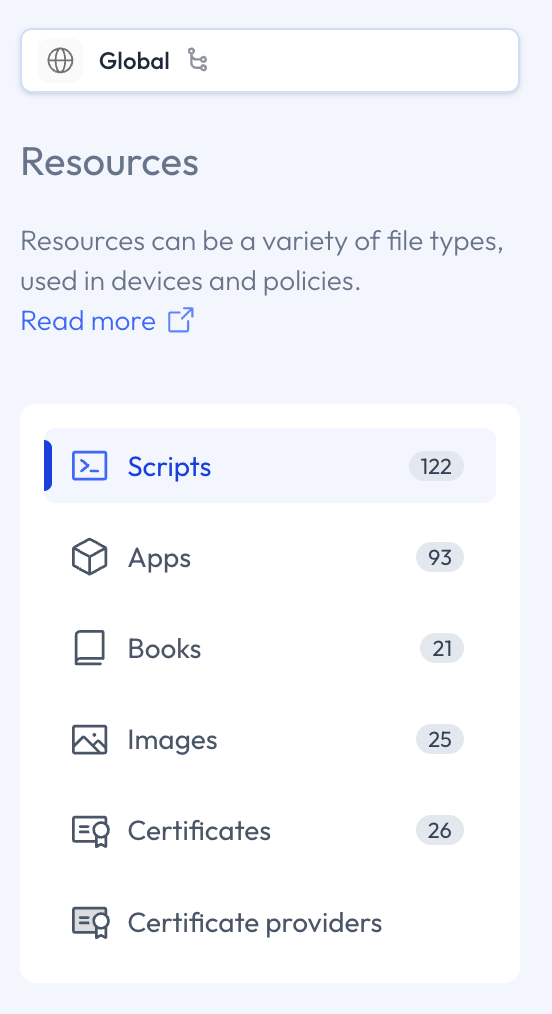
By grouping assets and certificates under a single concept, administrators gain a clearer and more consistent mental model of all the building blocks required to configure, secure and trust managed devices.
Automation: the foundation of Autonomous Endpoint Management
We’ve introduced a new Automation menu as a central pillar of our Autonomous Endpoint Management strategy.
This menu brings together:
- Smart Enrollments (previously available under Device Management > Configuration > Apple/Android/windows)
- Automation Rules & Device Audiences (both previously available under Device Management > Configuration)
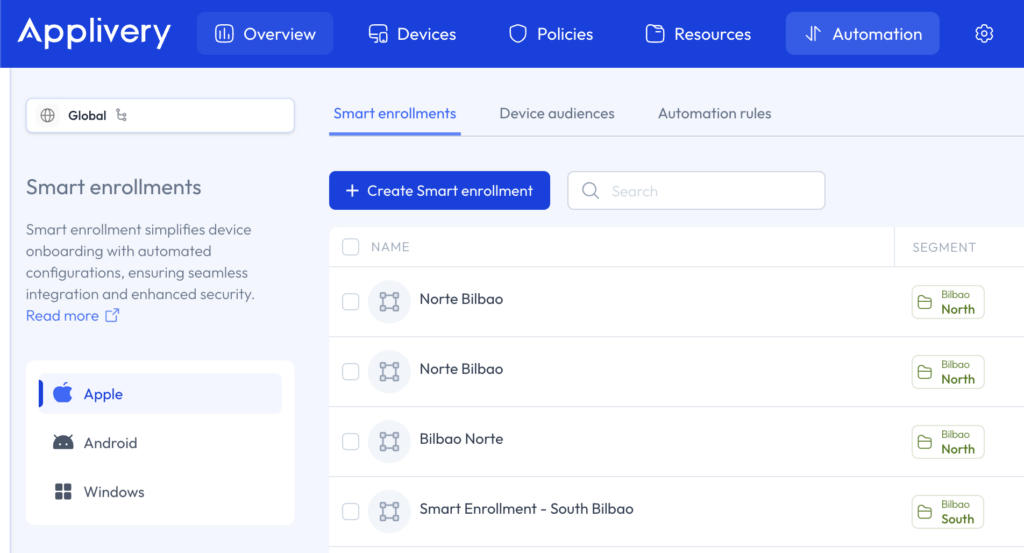
Instead of manually reacting to changes, administrators can now define intent once and allow Applivery to continuously enforce it as devices and conditions evolve.
Stay tuned, as most of our product innovations will be appearing in this new section.
Segments: the new backbone of Applivery
Finally, we are introducing a new and scalable way to manage large deployments, in an orderly manner and with granular access. Segments are now a core concept present throughout the entire dashboard.
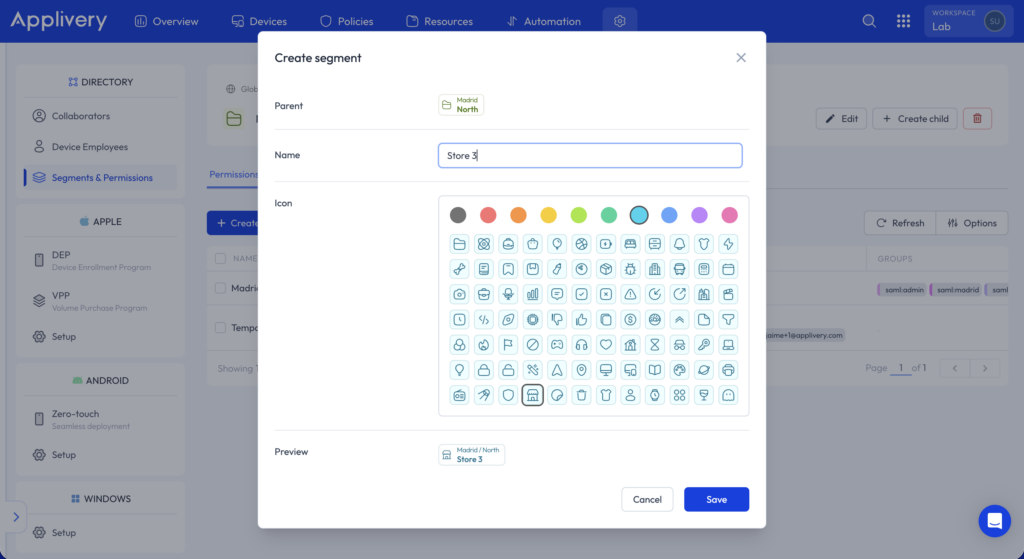
Devices, policies, enrollments, audiences and automations are all associated with segments. Each segment can be visually identified through customizable icons and color codes, making complex organizational structures easier to understand and operate.
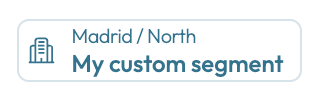
This represents a fundamental shift in how environments are organized inside Applivery. Let’s deep dive on it.
From static management to event-driven automation
With this release, Applivery becomes reactive by design.
Adding or removing a device from a segment generates events that can automatically trigger actions. These actions may include applying or removing policies, enforcing configurations or executing automation rules.
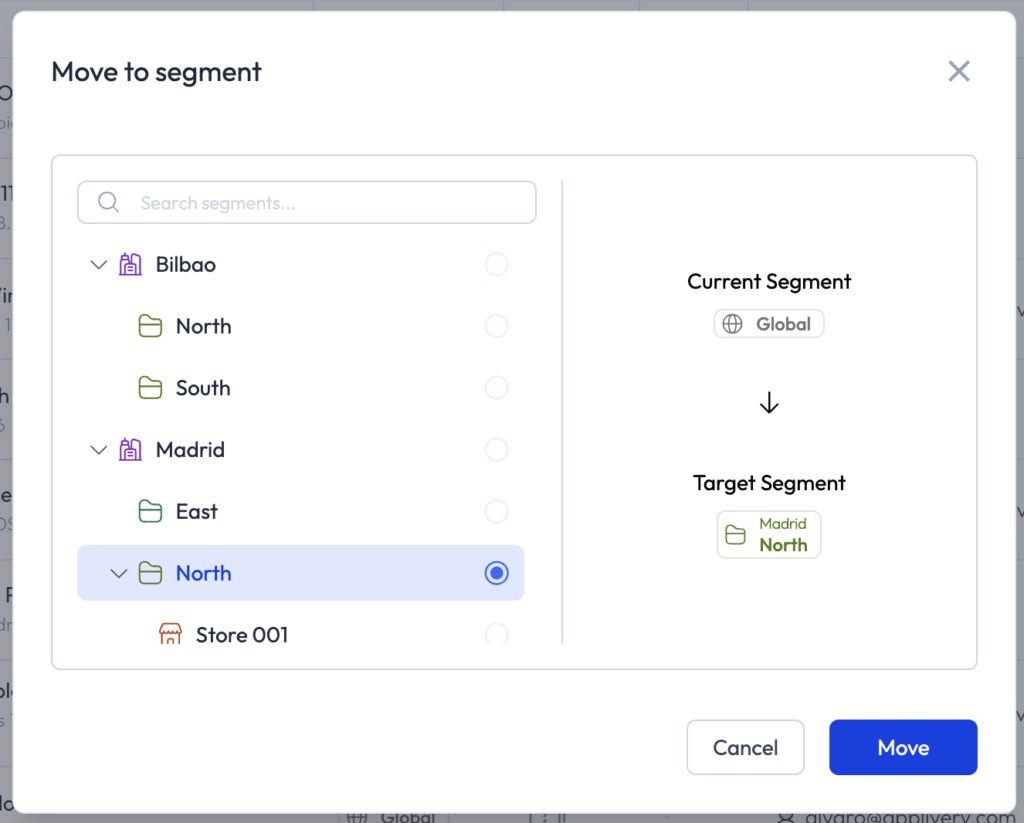
Devices are no longer managed individually. They are managed through belonging, enabling intent-driven and policy-based operations at scale.
Segment hierarchy and configuration inheritance
Segments follow a hierarchical parent-child model that introduces configuration inheritance.
Devices automatically inherit configurations from their parent segments, while administrators gain full visibility into why a specific configuration applies. New tooling makes it easy to move devices between segments and understand the cumulative impact of inherited policies and settings.
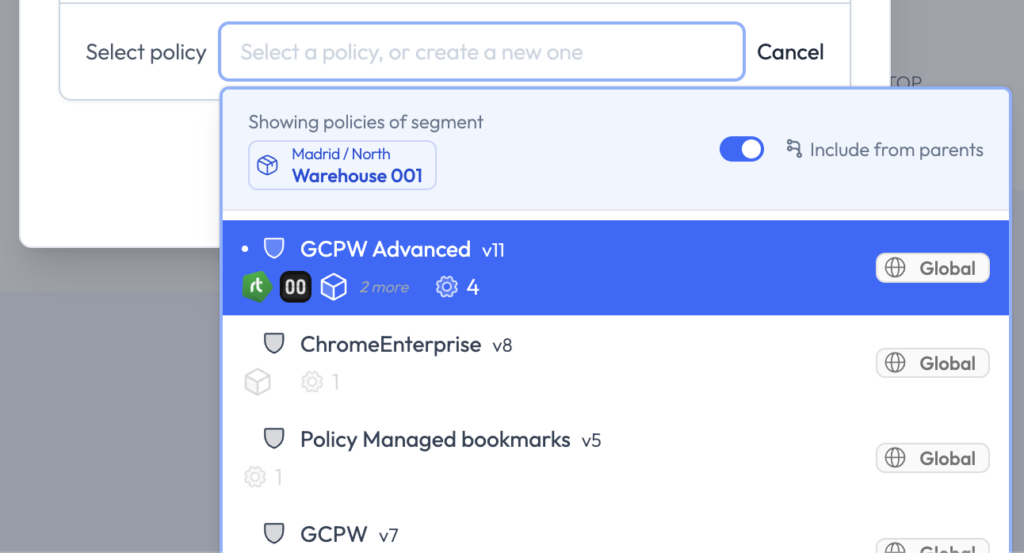
This approach allows global standards and local autonomy to coexist without duplication or loss of control.
Segment-based roles and permissions
Roles and permissions have been fully redesigned and are now associated with segments. We call them “Segment permissions”.
This enables highly granular and hierarchical access control. Administrators can view everything defined in parent segments while managing everything within their own segment and its children.
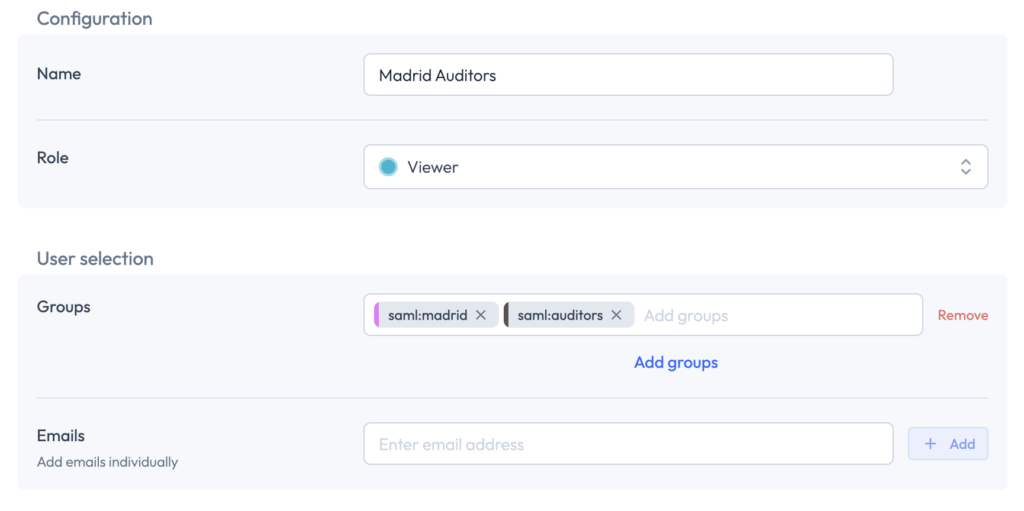
The result is decentralized administration under a centralized governance model, designed for large and distributed organizations.
A unified approach to user management
User management in general has also been aligned with this new architecture.
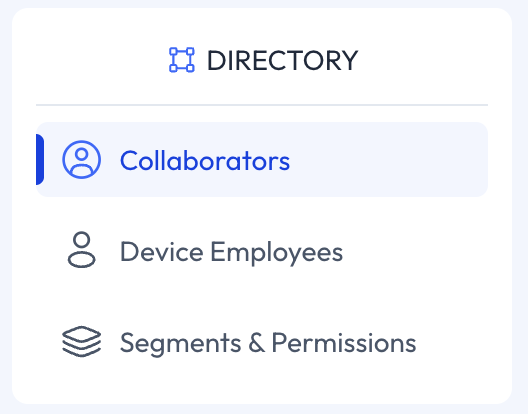
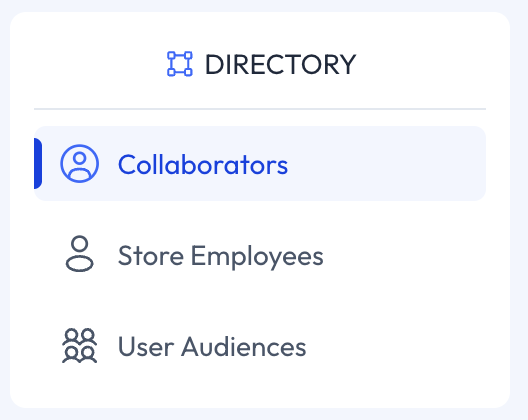
People / Audiences menu, that used to centralized user and permissions management has been moved to independent menus within each product’s configuration menu. Now you can find:
- App Distribution:
- Collaborators
- Store Employees
- User Audiences
- Device Management:
- Collaborators (now extended by Segment permissions in Device Management)
- Device Employees
- Segments & Permissions
In Device Management, a new Segments & Permissions section allows administrators to manage organizational structure and access control from a single place.
A new operational model for modern IT teams
This update goes far beyond a visual refresh. It introduces a new operational model designed for scale, automation and governance. With the new Applivery Dashboard, IT teams spend less time navigating menus and more time defining intent, enforcing standards and enabling autonomy across the organization.
Availability and plans
To support this evolution, Segments will be available at no additional cost as follows:
Advanced Plan: includes up to 2 depth levels and 15 segments.
Enterprise Plan: includes up to 3 depth levels and 30 segments.
For organizations requiring further scale, additional depth levels and segment add-ons are available. Please contact your Customer Success Manager if you are interested in knowing more about these options.
This release lays the foundation for the next evolution of Autonomous Endpoint Management at Applivery.