
Managing a device fleet across roles, regions, and platforms means working with metadata that the OS wasn’t designed to provide. Smart Attributes is a new capability in Applivery MDM that lets you define and manage custom device metadata, dynamically evaluated, automatically updated, and directly usable as targeting criteria across policies, automations, and Device Audiences.
Whether you need to classify devices by business unit, surface a compliance value from a script, or enforce consistent department labels across a distributed IT team, Smart Attributes give you the data model your fleet actually needs across Windows, Android, iOS, and macOS from a single interface.
unlimited trial of Applivery
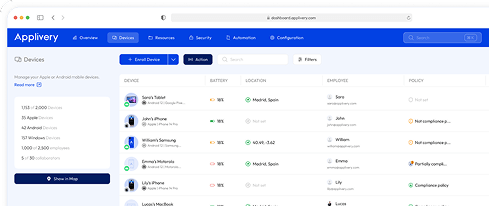
Why static device segmentation breaks at scale
Most MDM platforms give you two tools for organizing devices: tags and groups. Both are manual. Both go stale. And both put the maintenance burden squarely on IT every time something changes in the organization.
The result is that segmentation tends to reflect how your fleet looked when you set it up, not how it looks today. You end up with groups that are too broad to be useful, or too granular to be maintainable. Neither works at scale.
Smart Attributes solve this at the source. Instead of organizing devices after the fact, you define the properties that describe them and the platform keeps everything current automatically. A device that moves regions, changes owners, or updates its OS doesn’t require manual reassignment. It just reflects its new state.
How Smart Attributes work
The most useful thing about Smart Attributes isn’t any individual feature, it’s that they let you decide what matters about a device, and then act on it.
Automatically evaluated attributes: selectors and scripts
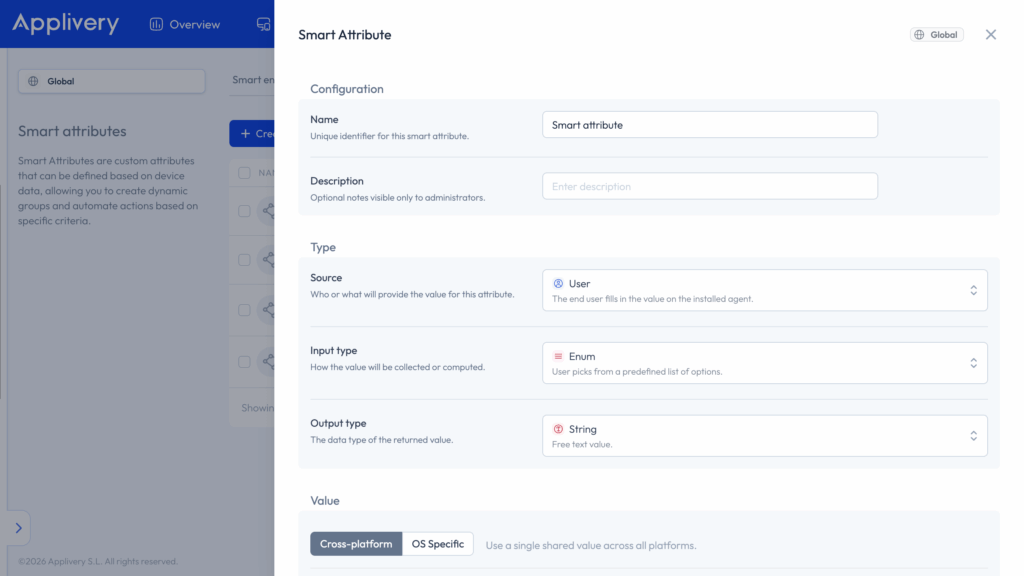
Need to know which devices have FileVault enabled and an OS version above a certain threshold? That’s a Smart Attribute built from live device data, evaluated automatically every time it changes. Need to compute a compliance score based on multiple conditions and surface it as a single value? That’s a Script attribute running on the device and returning whatever your logic produces.
You’re not limited to what the OS exposes. If you can write a script that returns a value, you can turn it into a targeting condition.
Enum and manual attributes: keeping device metadata consistent
Need to classify devices by business unit, with a controlled list of valid values so your segmentation logic doesn’t break when someone typos the name? That’s an Enum attribute managed from the dashboard. Manual attributes give free-text flexibility when structure isn’t needed, useful for identifiers or contextual labels that don’t require validation.
Cross-platform vs. OS-specific Smart Attributes
You can configure each attribute as cross-platform. One value applied consistently across all OS types or OS-specific, with separate values per platform handled in the backend. Either way, you define the attribute once and use it across your entire fleet. The configuration experience is unified regardless of how many operating systems you manage.
Smart Attributes and Device Audiences
Smart Attributes only become powerful when they’re connected to something. That connection happens through Device Audiences, that is Applivery’s dynamic grouping engine.
When you build a Device Audience, Smart Attributes are available as filter criteria alongside existing properties like OS version, device model, and tags. You can combine them using logical operators with AND/OR logic to build targeting rules as simple or as precise as your use case requires. A group defined as “Finance department, macOS, FileVault enabled, OS above 13.0” updates itself as devices join or leave those conditions, no manual maintenance, no stale membership lists.
This is what makes the difference between a segmentation system and a segmentation strategy. The groups reflect reality because they’re defined by it.
Which IT teams benefit most from Smart Attributes
- IT teams managing multi-region or multi-unit fleets: where the same device type needs different configurations depending on context, and manually maintaining that context isn’t sustainable.
- Teams running phased rollouts: where you need a reliable way to define cohorts, deploy to them, and expand progressively without building throwaway groups for each stage.
- Security-focused environments: where compliance state is computed, not assumed, and policies need to respond to actual device conditions rather than static assignments.
- Mixed ownership fleets: where the distinction between corporate and personal devices needs to be explicit, consistent, and automatically applied to the right configurations.
- Cybersecurity and autonomous remediation: Smart Attributes act as the bridge between your threat detection stack and your device management layer. When an MTD or EDR like CrowdStrike or Check Point flags a device as “High risk”, Applivery detects the attribute change, moves it into a quarantine audience, and triggers an Automation Rule to remediate it automatically, with no ticket and no manual intervention. This is what autonomous endpoint management looks like in practice.
Take in consideration that support for end-user-provided attribute values via the Device Agent is coming in a future release. The current version covers all attribute sources managed by IT admins and the device itself.
How to set up Smart Attributes in Applivery
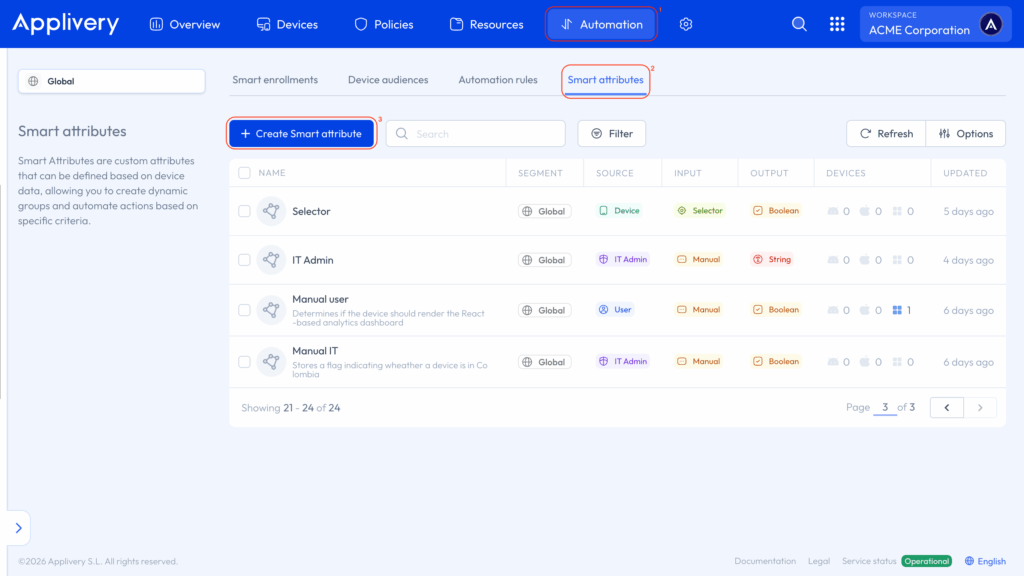
Smart Attributes are available now in the Applivery dashboard under Automation → Smart Attributes. If you want to go deeper on configuration, attribute types, and how to connect them to Device Audiences, the full documentation covers everything you need.
Enable it today
Smart Attributes are only available on Enterprise plans. If you’re not sure which plan you’re on, check the pricing page or reach out to your Customer Success Manager.
Not on Applivery yet? Book a demo to see how it works with your fleet.