
Windows 11 incident KB5074109: How to manage login failures and recover your fleet

Recover Windows 11 login issues and BitLocker loops caused by KB5074109. Learn how to deploy the KB5077744 fix at scale with Applivery’s remediation scripts.
Windows 11 incident KB5074109

Recently, a routine Windows 11 cumulative update turned into a high-stakes recovery mission for IT departments worldwide. What was supposed to be a standard security patch (KB5074109) for versions 24H2 and 25H2 has instead triggered critical login failures, BitLocker recovery loops, and, in many cases, completely unusable workstations.

For organizations managing a distributed workforce or industrial operations, this isn’t just a technical glitch—it’s a direct hit to productivity. At Applivery, our technical team has been working closely with affected clients to identify the most efficient recovery paths and official fixes to get fleets back online safely.

When updates block operations

For a systems administrator, the problem is not just the technical failure, but its scale. Since it is a Cumulative Update (LCU), uninstalling it doesn’t just remove a specific patch, but the entire set of security fixes for the month, leaving the system vulnerable.

This is the challenge currently facing IT teams:

  • Authentication failures: devices that fail to reach the login screen after restarting.
  • BitLocker loops: unexpected requests for recovery keys during boot.
  • Operational fragmentation: the need to manage devices that still boot versus those already locked in recovery mode.
Windows 11 migration

Applivery: agility in the face of critical incidents

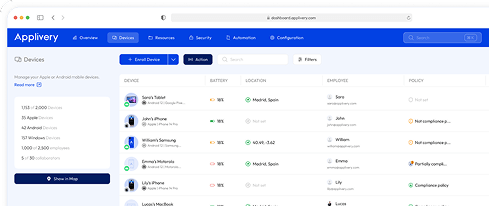
As a Unified Endpoint Management (UEM) platform, Applivery allows you to respond to these incidents without the need for physical intervention on each device. Our ability to execute remote scripts and manage compliance policies enables your team to regain control of the fleet in a massive and centralized manner.

Unlock your 14 day
unlimited trial of Applivery

Our team’s recommendation: don't roll back, move forward

The Applivery technical team has verified that the most stable path is not a permanent rollback, but advancing to the Out-of-Band (OOB) update KB5077744. This specific release was designed to fix the regressions of the previous patch while keeping your security baseline intact.

Step-by-step remediation strategy

In a real deployment, not all devices will be in the same state. It is critical to distinguish between two clearly defined scenarios to apply the correct fix.

Online Devices (Still Booting)

Typical situation

  •  The system boots correctly and may be at the login screen.
  • The user has logged out or hasn’t restarted since the update.

  • The device is currently on build .7623.

Install KB5077744 before the next reboot to prevent the device from entering a BitLocker recovery loop.

Online strategy


  • Detect if the device is affected.
  • Suspend BitLocker specifically for the next restart.
  • Force the installation of the OOB update KB5077744.
  • Restart in a controlled manner.

Online script: detection and correction

This script, designed to run as Administrator or SYSTEM, targets machines that have not yet rebooted into recovery.

<# Fix-KB5074109-Online.ps1
Run as Administrator (or SYSTEM). Designed for machines that are still booted (haven’t rebooted into recovery).
#>

[CmdletBinding()]
param(
  [int]$KbProblem = 5074109,
  [int]$KbFix     = 5077744,

  [int[]]$TargetBuilds = @(26100, 26200),
  [int]$TargetUbr = 7623,

  # Optional: path to KB5077744 MSU (local path or UNC), e.g. \\server\share\KB5077744.msu
  [string]$MsuPath,

  # Exit 3010 if reboot required (recommended for deployment systems)
  [switch]$Return3010OnRebootRequired,

  [switch]$WhatIfOnly
)

function Assert-AdminOrSystem {
  $id = [Security.Principal.WindowsIdentity]::GetCurrent()
  $isSystem = $id.IsSystem
  $isAdmin = ([Security.Principal.WindowsPrincipal]$id).IsInRole([Security.Principal.WindowsBuiltInRole]::Administrator)
  if (-not ($isSystem -or $isAdmin)) { throw "Run as Administrator or SYSTEM." }
}

function Get-OsBuildInfo {
  $cv = Get-ItemProperty "HKLM:\SOFTWARE\Microsoft\Windows NT\CurrentVersion"
  [pscustomobject]@{
    Build          = [int]$cv.CurrentBuildNumber
    Ubr            = [int]$cv.UBR
    DisplayVersion = $cv.DisplayVersion
  }
}

function Test-KbInstalled([int]$KbId) {
  try { Get-HotFix -Id ("KB{0}" -f $KbId) -ErrorAction Stop | Out-Null; return $true } catch { return $false }
}

function Suspend-BitLockerOneReboot {
  # Best-effort: avoid BitLocker recovery loops after reboot
  try {
    if (Get-Command Suspend-BitLocker -ErrorAction SilentlyContinue) {
      if ($WhatIfOnly) { Write-Host "(WhatIf) Suspend-BitLocker -MountPoint C: -RebootCount 1"; return }
      Suspend-BitLocker -MountPoint "C:" -RebootCount 1 -ErrorAction Stop
      Write-Host "BitLocker suspended for 1 reboot (C:)." -ForegroundColor Yellow
      return
    }
  } catch {
    Write-Warning "Suspend-BitLocker failed: $($_.Exception.Message)"
  }

  try {
    $manageBde = Join-Path $env:SystemRoot "System32\manage-bde.exe"
    if (Test-Path $manageBde) {
      if ($WhatIfOnly) { Write-Host "(WhatIf) manage-bde -protectors -disable C: -rebootcount 1"; return }
      $p = Start-Process -FilePath $manageBde -ArgumentList @("-protectors","-disable","C:","-rebootcount","1") -Wait -PassThru -NoNewWindow
      Write-Host "manage-bde exit code: $($p.ExitCode)" -ForegroundColor Yellow
    }
  } catch {
    Write-Warning "manage-bde fallback failed: $($_.Exception.Message)"
  }
}

function Install-Msu([string]$Path) {
  if (-not (Test-Path $Path)) { throw "MSU not found: $Path" }
  $wusa = Join-Path $env:SystemRoot "System32\wusa.exe"
  if (-not (Test-Path $wusa)) { throw "wusa.exe not found at $wusa" }

  Write-Host "Installing MSU: $Path" -ForegroundColor Yellow
  if ($WhatIfOnly) { Write-Host "(WhatIf) wusa `"$Path`" /quiet /norestart"; return $false }

  $p = Start-Process -FilePath $wusa -ArgumentList @("`"$Path`"","/quiet","/norestart") -Wait -PassThru -NoNewWindow
  Write-Host "WUSA exit code: $($p.ExitCode)"
  # WUSA: 3010 often indicates reboot required; sometimes it returns 0 but still needs reboot
  return ($p.ExitCode -eq 3010)
}

function Install-KbViaWindowsUpdateApi([int]$KbFix) {
  Write-Host "Searching Windows Update for KB$KbFix..." -ForegroundColor Cyan
  if ($WhatIfOnly) { Write-Host "(WhatIf) Would search/download/install KB$KbFix"; return $false }

  $session = New-Object -ComObject Microsoft.Update.Session
  $searcher = $session.CreateUpdateSearcher()
  $result = $searcher.Search("IsInstalled=0 and Type='Software' and IsHidden=0")

  $updatesToInstall = New-Object -ComObject Microsoft.Update.UpdateColl
  for ($i=0; $i -lt $result.Updates.Count; $i++) {
    $u = $result.Updates.Item($i)
    if ($u.KBArticleIDs -contains $KbFix.ToString()) {
      Write-Host "Found: $($u.Title)" -ForegroundColor Green
      $null = $updatesToInstall.Add($u)
    }
  }

  if ($updatesToInstall.Count -eq 0) {
    throw "KB$KbFix not found via Windows Update API (may be blocked by policy/WSUS or not applicable)."
  }

  Write-Host "Downloading..." -ForegroundColor Cyan
  $downloader = $session.CreateUpdateDownloader()
  $downloader.Updates = $updatesToInstall
  $dl = $downloader.Download()

  Write-Host "Installing..." -ForegroundColor Cyan
  $installer = $session.CreateUpdateInstaller()
  $installer.Updates = $updatesToInstall
  $inst = $installer.Install()

  return [bool]$inst.RebootRequired
}

# ---------------- MAIN ----------------
Assert-AdminOrSystem

$os = Get-OsBuildInfo
Write-Host "OS: Windows 11 $($os.DisplayVersion) — Build $($os.Build).$($os.Ubr)"

if (-not ($TargetBuilds -contains $os.Build)) { Write-Host "Not target base build. No action." -ForegroundColor Green; exit 0 }
if ($os.Ubr -ne $TargetUbr) { Write-Host "Not on UBR $TargetUbr. No action." -ForegroundColor Green; exit 0 }

$hasProblem = Test-KbInstalled $KbProblem
$hasFix     = Test-KbInstalled $KbFix

Write-Host "KB$KbProblem=$hasProblem; KB$KbFix=$hasFix"
if (-not $hasProblem) { Write-Host "KB$KbProblem not detected. No action." -ForegroundColor Green; exit 0 }
if ($hasFix) { Write-Host "KB$KbFix already installed. No action." -ForegroundColor Green; exit 0 }

Suspend-BitLockerOneReboot

$rebootRequired = $false
if ($MsuPath) {
  $rebootRequired = Install-Msu -Path $MsuPath
} else {
  $rebootRequired = Install-KbViaWindowsUpdateApi -KbFix $KbFix
}

Write-Host "KB$KbFix installation triggered. RebootRequired=$rebootRequired" -ForegroundColor Yellow

if ($rebootRequired -and $Return3010OnRebootRequired) { exit 3010 }
exit 0


  • When to use: build 26100.7623 or 26200.7623 is detected with KB5074109 installed but KB5077744 missing.

  • What it does: validates the system, performs a “best-effort” temporary BitLocker suspension, and installs the fix.

  • Recommended procedure: download the .msu file to a shared network resource and execute the script via Applivery to avoid real-time Windows Update dependencies in mass deployments.

Offline Devices (Blocked in Recovery)

Typical situation

  • The device fails to reach the login screen.

  • A BitLocker recovery prompt appears, or the system boots directly into WinRE.

  • Online scripts cannot be executed.

Recover system access and return the device to a supported, functional state.

Offline strategy

  • Boot into the Windows Recovery Environment (WinRE).
  • Unlock the drive using the BitLocker recovery key.
  • Detect the offline Windows installation.
  • Remove the problematic package (RollupFix .7623).
  • Apply KB5077744 offline (optional but highly recommended).
  • Restart.

Offline script — WinRE

This script performs offline servicing within the recovery environment.

<# Fix-KB5074109-WinRE.ps1
Run inside WinRE / Recovery PowerShell.
This script performs OFFLINE servicing:
- Unlock BitLocker if needed
- Identify offline Windows volume
- Remove the RollupFix package matching 26100.7623 or 26200.7623 (KB5074109)
- Optionally apply KB5077744 offline via DISM Add-Package from CAB

Usage examples:
  powershell -ExecutionPolicy Bypass -File X:\Fix-KB5074109-WinRE.ps1 -RecoveryKey "111111-222222-..." -MsuPath "E:\KB5077744.msu"
  powershell -ExecutionPolicy Bypass -File X:\Fix-KB5074109-WinRE.ps1 -RecoveryKey "..." -CabPath "E:\Windows11.0-KB5077744-x64.cab"
#>

[CmdletBinding()]
param(
  # Optional BitLocker recovery key if the OS volume is locked
  [string]$RecoveryKey,

  # Optional: path to KB5077744 .msu (on USB or local WinRE drive letter)
  [string]$MsuPath,

  # Optional: path to extracted CAB (preferred if you already have it)
  [string]$CabPath,

  [switch]$WhatIfOnly
)

function Run([string]$File, [string[]]$Args) {
  Write-Host ">> $File $($Args -join ' ')" -ForegroundColor Cyan
  if ($WhatIfOnly) { return 0 }
  $p = Start-Process -FilePath $File -ArgumentList $Args -Wait -PassThru -NoNewWindow
  return $p.ExitCode
}

function Get-OffWinDir {
  # Find the drive that contains Windows\System32\config (offline registry hives)
  $drives = Get-PSDrive -PSProvider FileSystem | Where-Object { $_.Free -ge 0 }
  foreach ($d in $drives) {
    $cand = Join-Path $d.Root "Windows\System32\config"
    if (Test-Path $cand) {
      return (Join-Path $d.Root "Windows")
    }
  }
  throw "Offline Windows directory not found. Verify drive letters in WinRE."
}

function Get-OsBuildInfoOffline([string]$WinDir) {
  $hivePath = Join-Path $WinDir "System32\config\SOFTWARE"
  $tempKey = "HKLM\OFFSOFT"

  # Load hive
  $rc = Run "reg.exe" @("load",$tempKey,$hivePath)
  if ($rc -ne 0) { throw "Failed to load offline SOFTWARE hive. reg load exit code $rc" }

  try {
    $cv = Get-ItemProperty "Registry::$tempKey\Microsoft\Windows NT\CurrentVersion"
    return [pscustomobject]@{
      Build = [int]$cv.CurrentBuildNumber
      Ubr   = [int]$cv.UBR
      DisplayVersion = $cv.DisplayVersion
    }
  } finally {
    Run "reg.exe" @("unload",$tempKey) | Out-Null
  }
}

function Unlock-BitLockerIfNeeded([string]$WinDir, [string]$RecoveryKey) {
  # Determine drive letter of WinDir root
  $root = Split-Path $WinDir -Qualifier
  $drive = $root.TrimEnd('\')

  # If manage-bde exists in WinRE
  $manageBde = Join-Path $env:SystemRoot "System32\manage-bde.exe"
  if (-not (Test-Path $manageBde)) { return }

  # Check lock status
  $status = & $manageBde -status $drive 2>$null | Out-String
  if ($status -match "Lock Status:\s*Locked") {
    if (-not $RecoveryKey) { throw "OS volume ($drive) is locked. Provide -RecoveryKey to unlock BitLocker." }
    Write-Host "Unlocking BitLocker volume $drive with recovery key..." -ForegroundColor Yellow
    if (-not $WhatIfOnly) {
      & $manageBde -unlock $drive -RecoveryPassword $RecoveryKey | Out-Null
    } else {
      Write-Host "(WhatIf) manage-bde -unlock $drive -RecoveryPassword <key>"
    }
  }
}

function Find-RollupFixPackageName([string]$ImageRoot, [int[]]$Builds = @(26100,26200), [int]$Ubr = 7623) {
  # dism /image:<root> /get-packages /format:table
  $dism = Join-Path $env:SystemRoot "System32\dism.exe"
  if (-not (Test-Path $dism)) { throw "dism.exe not found in WinRE." }

  $args = @("/Image:$ImageRoot","/Get-Packages","/Format:Table")
  Write-Host "Querying packages..." -ForegroundColor Cyan
  $out = & $dism @args 2>&1 | Out-String

  # We want a line containing:
  # Package_for_RollupFix~31bf3856ad364e35~amd64~~26100.7623.1.xx
  foreach ($b in $Builds) {
    $pattern = "Package_for_RollupFix~31bf3856ad364e35~amd64~~$b\.$Ubr\.1\.\d+"
    $m = [regex]::Match($out, $pattern)
    if ($m.Success) { return $m.Value }
  }

  return $null
}

function Remove-PackageOffline([string]$ImageRoot, [string]$PackageName) {
  $dism = Join-Path $env:SystemRoot "System32\dism.exe"
  Write-Host "Removing package: $PackageName" -ForegroundColor Yellow
  $rc = Run $dism @("/Image:$ImageRoot","/Remove-Package","/PackageName:$PackageName","/Quiet","/NoRestart")
  if ($rc -ne 0) { throw "DISM remove-package failed with exit code $rc" }
}

function Extract-CabFromMsu([string]$MsuPath, [string]$OutDir) {
  if (-not (Test-Path $MsuPath)) { throw "MSU not found: $MsuPath" }
  if (-not (Test-Path $OutDir)) { New-Item -ItemType Directory -Path $OutDir | Out-Null }

  # expand.exe is usually available
  $expand = Join-Path $env:SystemRoot "System32\expand.exe"
  if (-not (Test-Path $expand)) { throw "expand.exe not found in WinRE." }

  Write-Host "Extracting MSU to $OutDir ..." -ForegroundColor Cyan
  $rc = Run $expand @("-F:*",$MsuPath,$OutDir)
  if ($rc -ne 0) { throw "expand.exe failed with exit code $rc" }

  $cab = Get-ChildItem -Path $OutDir -Filter "*.cab" -ErrorAction SilentlyContinue | Select-Object -First 1
  if (-not $cab) { throw "No CAB found after extracting MSU. Check MSU contents." }
  return $cab.FullName
}

function Add-PackageOffline([string]$ImageRoot, [string]$CabPath) {
  if (-not (Test-Path $CabPath)) { throw "CAB not found: $CabPath" }
  $dism = Join-Path $env:SystemRoot "System32\dism.exe"
  Write-Host "Adding package (offline): $CabPath" -ForegroundColor Yellow
  $rc = Run $dism @("/Image:$ImageRoot","/Add-Package","/PackagePath:$CabPath","/Quiet","/NoRestart")
  if ($rc -ne 0) { throw "DISM add-package failed with exit code $rc" }
}

# ---------------- MAIN ----------------
$winDir = Get-OffWinDir
$root = Split-Path $winDir -Qualifier
$imageRoot = $root.TrimEnd('\')   # e.g. D:

Write-Host "Offline Windows detected at: $winDir (ImageRoot: $imageRoot)" -ForegroundColor Green

Unlock-BitLockerIfNeeded -WinDir $winDir -RecoveryKey $RecoveryKey

$os = Get-OsBuildInfoOffline -WinDir $winDir
Write-Host "Offline OS: Windows 11 $($os.DisplayVersion) — Build $($os.Build).$($os.Ubr)"

# Only target 26100/26200 and UBR 7623
if (@(26100,26200) -notcontains $os.Build) {
  Write-Host "Not target build (26100/26200). Exiting without changes." -ForegroundColor Green
  exit 0
}
if ($os.Ubr -ne 7623) {
  Write-Host "Not on UBR 7623. Exiting without changes." -ForegroundColor Green
  exit 0
}

$pkg = Find-RollupFixPackageName -ImageRoot $imageRoot
if (-not $pkg) {
  throw "Could not locate RollupFix package for build $($os.Build).7623 in offline image."
}

Remove-PackageOffline -ImageRoot $imageRoot -PackageName $pkg

# Optional: apply KB5077744 offline (recommended)
if ($CabPath -or $MsuPath) {
  $cabToUse = $CabPath
  if (-not $cabToUse) {
    $tmp = Join-Path $env:TEMP "KB5077744_EXTRACT"
    $cabToUse = Extract-CabFromMsu -MsuPath $MsuPath -OutDir $tmp
  }
  Add-PackageOffline -ImageRoot $imageRoot -CabPath $cabToUse
  Write-Host "Offline fix package applied. Reboot to finalize." -ForegroundColor Green
} else {
  Write-Host "Rollback done. No OOB applied (no -MsuPath/-CabPath provided). Reboot, then apply KB5077744 online ASAP." -ForegroundColor Yellow
}

Write-Host "Done. Reboot the device." -ForegroundColor Green
exit 0
  • When to use: the system will not boot and requires manual or technical support intervention.

  • What it does: automatically identifies the partition, reads the version from the offline registry, and removes the KB5074109 association.

  • Recommended procedure: Boot to Recovery, open PowerShell, and run the script pointing to your recovery key and the fix file on a USB drive.

Recommendations for IT teams

  • Build compliance: do not leave devices on build .7623.

  • Avoid temporary rollbacks: do not treat the uninstallation of KB5074109 as a final fix. Always advance to KB5077744.

  • BitLocker safety: only suspend BitLocker temporarily during the remediation process.

  • Key Management: Ensure your team has immediate access to BitLocker recovery keys for all managed devices.

Navigating future Windows updates with confidence

This incident reinforces Applivery’s value proposition: unifying security with operational agility.

  • Centralized control: you manage Windows, iOS, and Android from a single console, eliminating the complexity of fragmented solutions.
  • Resilience: our API-first architecture allows for the construction of modular DevOps strategies that do not depend on the decisions of a single software provider.

  • Customer commitment: the Applivery team acts proactively, identifying technical solutions before they become operational paralysis for your company.

The difference between a prolonged crisis and a controlled recovery lies in having the right visibility and tools. Thanks to the rapid identification of the solution by our team, Applivery users can secure their fleets in a matter of minutes, transforming a critical failure into a managed maintenance task.

Ready to streamline your Windows operations?

Explore our Windows Device Management solutions and learn how to regain total control over your fleet, even during critical incidents. Contact us or start a demo today!

Frequently Asked Questions (FAQ)

Uninstalling KB5074109 is discouraged because it is a Cumulative Update (LCU). Removing it doesn't just revert a single bug; it strips away all security patches and compliance fixes released during that month, leaving your fleet vulnerable to known exploits. The official and most secure path, as identified by our team, is to advance to the Out-of-Band update KB5077744, which resolves the login regressions while maintaining your security baseline.

The most common mistake is attempting a "Startup Repair" or "System Restore" without first identifying the specific build version offline. Since the issue is tied to build .7623, generic repairs often fail. Using our WinRE remediation script allows you to specifically target and remove the Package_for_RollupFix associated with the incident and manually push the system toward the .7627 build, saving hours of manual troubleshooting.

In a manual scenario, IT technicians must physically access each device or rely on users to follow complex instructions in the Recovery Environment. With Applivery’s Windows Device Management, you can:

  • Identify: instantly segment your fleet to find exactly which devices are running the affected builds.

  • Automate: deploy the "Online" remediation script to all active devices to suspend BitLocker and force the fix before they ever crash.

  • Scale: manage thousands of devices simultaneously from a single console, bridging the gap between security needs and operational agility.

Applivery dashboard interface with G2 Fall 2025 awards: Best Support, High Performer EMEA, Momentum Leader, and Easiest To Do Business With.
Get the insights that solve advanced UEM challenges

Join our briefing for technical guides and advanced UEM strategies that help you get more done with less manual effort.

Stay Connected
Explore more posts