

Deploying hundreds of corporate devices should not mean configuring them one by one, sending technicians to every location, or relying on manual processes that are difficult to scale.
With a well-prepared Zero-Touch flow in Applivery, IT teams can turn the first boot of a device into an automated process: the device connects, enrolls into the MDM, receives its policies, installs the required apps, and is ready for work.
Picture this scenario: it is Monday morning, and the call comes in. “We need 300 tablets ready for the sales team by Friday.” In a traditional model, that could mean hours of manual configuration, profiles installed one by one, device-by-device checks, and plenty of room for errors. With Zero-Touch Enrollment in Applivery, deployment becomes far more centralized, repeatable, and secure.
unlimited trial of Applivery
What Zero-Touch Enrollment really means
Zero-Touch Enrollment is a provisioning approach that allows a corporate device to automatically enroll into an MDM platform during its initial activation.
The key is that the device is already linked to the organization and its management platform before it reaches the end user. When the device is turned on for the first time and connects to the Internet, it checks the corresponding provisioning services and receives the instructions needed to start the MDM enrollment process.
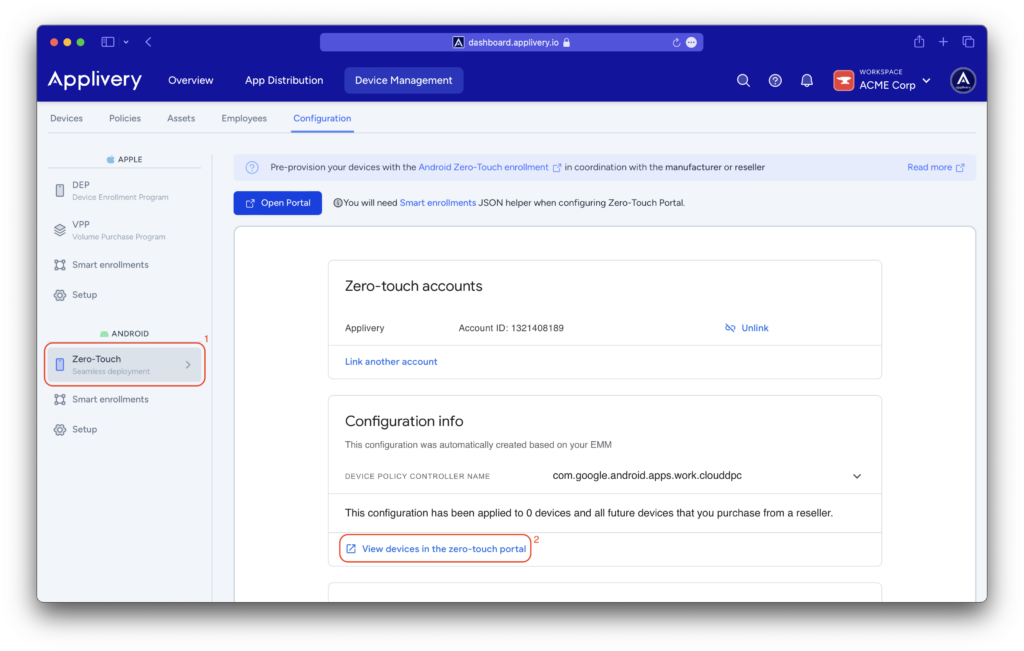
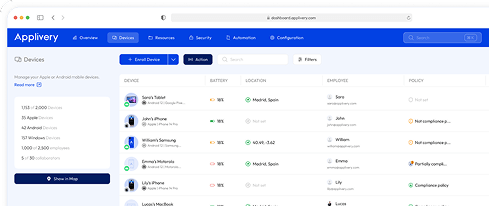
In this flow, Applivery acts as the management platform that receives the device, applies the policies defined by IT, and completes the configuration required so the device can be used.
Put simply: the device asks who should manage it, the corresponding ecosystem directs it to Applivery, and from there, the platform applies the configuration defined by the IT team.
The three Zero-Touch paths: Apple, Android, and Windows
Although we often talk about Zero-Touch as a general concept, each ecosystem has its own provisioning mechanism. The goal is the same: to avoid repetitive manual configuration and ensure that every corporate device reaches the user with the right management, policies, and applications from the very beginning.
| Ecosystem | Provisioning technology | How it works |
|---|---|---|
|
Apple |
Automated Device Enrollment via Apple Business (ABM) |
Compatible with iPhone, iPad, Mac, and Apple TV. The device is linked to the organization and enrolls into the MDM during initial activation |
|
Android |
Android Zero-touch Enrollment / Samsung Knox Mobile Enrollment |
The device is registered in the corresponding portal and, when turned on, starts automatic enrollment with the assigned MDM platform |
|
Windows |
Windows Autopilot + MDM |
The hardware hash is registered in Autopilot. During the first boot, the device joins the corporate environment and receives its MDM configuration |
For Apple, the process is based on Automated Device Enrollment. For Android, it can be done through Android Zero-touch Enrollment or Samsung Knox Mobile Enrollment, depending on the manufacturer, provider, and device type. For Windows, the flow is built around Windows Autopilot together with MDM management.
Three different paths, one shared logic: the device does not reach the user “empty”, but ready to work from the first boot.
What happens in Applivery during enrollment
When a device completes the Zero-Touch flow, Applivery can execute a configurable sequence of actions that turns a newly powered-on device into a work-ready tool.
| Phase | What Applivery does | Outcome for IT |
|---|---|---|
|
Enrollment |
Registers the device, assigns it to the right group, and applies base policies |
The device appears in the console and is under management from the first boot |
|
Certificates |
Distributes SCEP/PKCS certificates for Wi-Fi, VPN, or corporate identity |
The device can securely access corporate resources |
|
Network profiles |
Configures Wi-Fi, VPN, proxy, and other connectivity settings |
The user does not need to enter manual configurations. |
|
App deployment |
Distributes private, public, or managed applications depending on the operating system |
Required apps reach the device without manual intervention |
|
Restrictions |
Applies security policies, restrictions, kiosk mode, or specific configurations |
IT maintains control over device usage, security, and compliance |
The total time may vary depending on the operating system, connection quality, number of applications, package size, and policy complexity. The goal is not to promise a fixed deployment time for every scenario, but to turn device rollout into a centralized, repeatable process that is much easier to scale.
What IT needs to prepare before the first boot
Zero-Touch reduces manual intervention during deployment, but it requires proper preparation beforehand. Before sending devices to employees, offices, stores, or field teams, IT should validate the following points:
| Element | What to check |
|---|---|
|
Devices |
They are compatible with the corresponding provisioning program |
|
Registration |
They are associated with Apple Business (ABM) Android Zero-touch, Knox Mobile Enrollment, or Windows Autopilot |
|
MDM |
Applivery is assigned as the management platform |
|
Profiles |
The enrollment profile is correctly configured |
|
Policies |
Restrictions, configurations, and security rules are defined |
|
Apps |
Required applications are ready to be distributed |
|
Certificates and networks |
Wi-Fi, VPN, proxy, or corporate certificates are prepared |
|
Segmentation |
Each device can receive the right configuration based on group, role, location, or use case |
This preparation is what makes the first boot truly smooth. Zero-Touch does not eliminate IT strategy, but it does reduce manual configuration on a device-by-device basis.
SSO / LDAP integration during enrollment
Applivery can also link the device to the user during the enrollment process through integrations with identity providers such as Microsoft Entra ID, Google Workspace, or corporate LDAP.
This allows IT to automate processes such as:
- Assigning policies based on department, group, or user profile.
- Distributing personalized identity certificates.
- Connecting device, user, and group from the very beginning.
- Maintaining centralized visibility from the console.
This layer is especially useful for organizations with multiple locations, different user profiles, or more advanced control requirements.
Re-enrollment without wiping the device
In some scenarios, IT may need to reassign or re-enroll a device without going through a full physical process. For example, when an employee leaves the company, when a device changes department, or when the way it is managed needs to be updated.
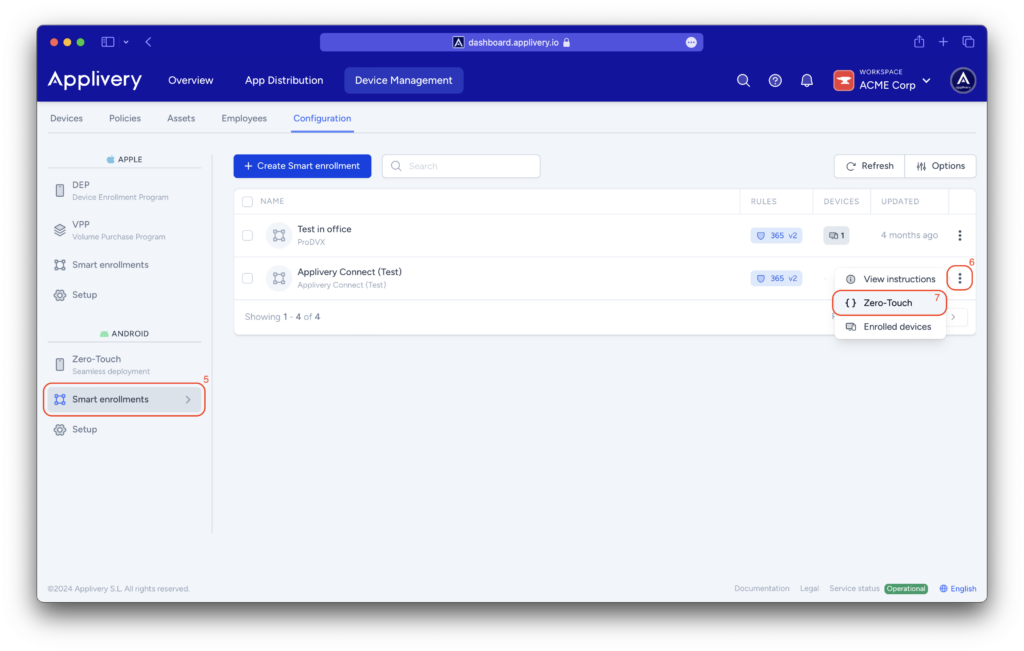
In these cases, Applivery can help simplify remote re-enrollment on compatible devices, reducing the dependency on manual processes and avoiding unnecessary friction for IT.
This point should be validated depending on the operating system, enrollment type, and supervision or management status of the device.
When to use Zero-Touch Enrollment
Zero-Touch is especially useful when an organization needs to deploy corporate devices at scale while keeping a consistent configuration from the very first use.
Common use cases include:
- Tablets for sales teams.
- Shared devices in retail environments.
- Devices for logistics or field services.
- Kiosk-mode devices.
- Corporate Android fleets.
- Company-managed iPhone, iPad, or Mac devices.
- Devices shipped directly to the end user.
For BYOD scenarios or smaller one-off deployments, other enrollment methods may make more sense, such as QR code, link-based enrollment, NFC, or user-driven flows.
The key is to choose the enrollment method that best matches the level of control, security, and automation required for each use case.
Octopus Energy automates onboarding for more than 4,000 Android devices
Zero-Touch Enrollment becomes even more valuable when deployment is no longer a one-off project, but an operational need at scale.
Octopus Energy, a global energy and technology company, needed to manage a fleet of more than 4,000 Android devices used by its field teams. Before Applivery, onboarding new devices was manual, slow, and difficult to scale.
With Applivery, Octopus Energy was able to automate Android device onboarding by combining MDM, Android Management, Zero-Touch, and automated user provisioning through SCIM. The result: a more agile operation, greater visibility across the fleet, and a clear reduction in the time required to prepare devices.
Ready to prepare your Zero-Touch deployment with Applivery?
Every fleet has its own requirements: corporate devices, shared equipment, department-based profiles, critical apps, certificates, networks, restrictions, or kiosk scenarios.
If you are considering a Zero-Touch deployment or want to simplify the way your organization prepares Apple, Android, or Windows devices, our team can help you define the right flow for your use case.
Talk to our team and discover how Applivery can help you automate device provisioning.
Frequently Asked Questions (FAQ)
What is Zero-Touch Enrollment?
Zero-Touch Enrollment is a device provisioning method that allows corporate devices to enroll automatically into an MDM platform during their first activation. Instead of configuring each device manually, IT can predefine policies, apps, certificates, and security settings so the device is ready to use from first boot.
How does Zero-Touch Enrollment work with Applivery?
With Applivery, devices are assigned to the organization’s MDM environment before reaching the user. When the device is turned on and connected to the Internet, it starts the enrollment process automatically, connects to Applivery, and receives the configurations defined by IT.
Which devices support Zero-Touch Enrollment?
Zero-Touch Enrollment can be used across different ecosystems, including Apple devices through Automated Device Enrollment, Android devices through Android Zero-touch Enrollment or Samsung Knox Mobile Enrollment, and Windows devices through Windows Autopilot combined with MDM.
Is Zero-Touch Enrollment secure?
Yes. Zero-Touch Enrollment improves security by ensuring that corporate devices are enrolled into the MDM from the first boot. IT can apply restrictions, certificates, network profiles, app controls, and compliance policies before the device is used.
When should a company use Zero-Touch Enrollment?
Zero-Touch Enrollment is ideal for corporate-owned devices, large device fleets, retail environments, field teams, logistics operations, kiosk-mode devices, and any scenario where IT needs a consistent, automated, and secure provisioning process.