

Imagine this scenario. It is 9:15 in the morning. María, from the sales team, has just returned after three weeks of leave. Her laptop is up to date, but she needs the latest version of the CRM tool, the VPN client, and the corporate certificate installed. She opens a ticket. The IT technician sees it three hours later, buried among twelve other tickets from that day. By 5:30 p.m., María finally has everything installed. She has lost an entire day of productivity.
This scenario happens thousands of times a day in companies around the world. The most frustrating part is that nobody in that chain wanted it to happen. The question is not how to resolve it faster. It is why it still happens when the technology already exists to prevent it altogether.
unlimited trial of Applivery
The hidden cost of routine IT tasks
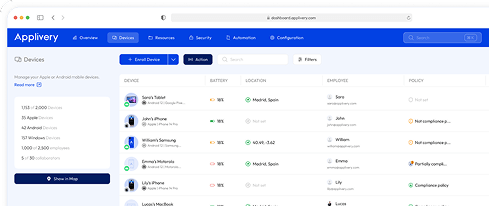
The average cost of resolving a support ticket ranges from $15 to $50, depending on its complexity, according to the HDI 2024 Benchmark Report. But the real cost goes far beyond what appears on the helpdesk provider’s invoice.
When an IT technician spends time installing apps, resetting permissions, or downloading updates manually, they are not doing real IT work. They are acting as a messenger. And in the meantime, security projects, migrations, and critical integrations are left waiting.

Gartner’s data is clear: organizations that have consolidated their endpoint management into a single UEM platform score 70% higher on the Gartner Digital Workplace Maturity Assessment than those still running fragmented, OS-specific tools. Yet most IT teams still operate reactively. First the ticket, then the wait, then the manual fix.
The outcome is predictable. Technicians burn out, employees grow frustrated, and the IT department becomes known as the bottleneck rather than the enabler.
The solution: Applivery’s Self-Service Portal
Applivery’s Self-Service Portal is the space where employees can manage their own work environment directly from their device, without opening tickets and without waiting for someone else.
The idea is simple but powerful: the IT technician sets the rules once. The employee gets what they need, when they need it, without opening a ticket.
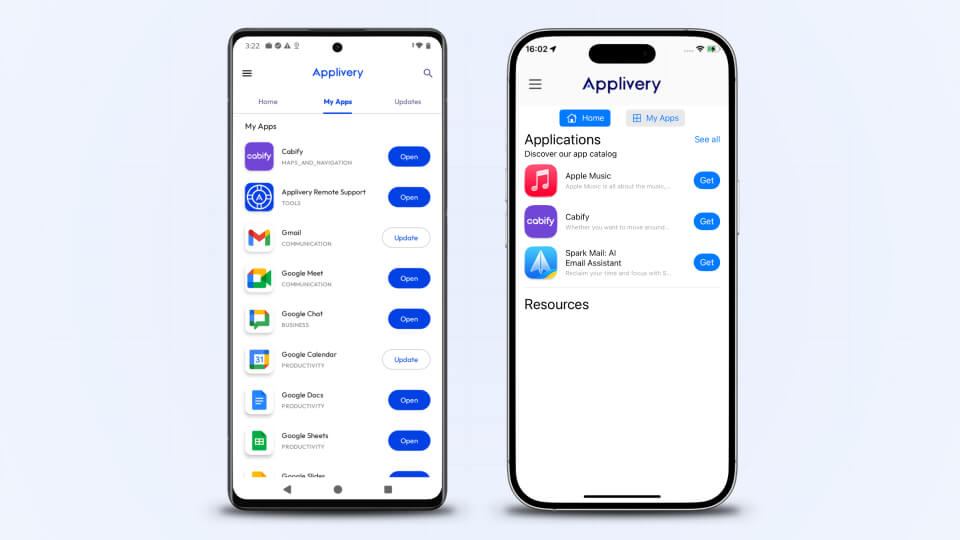
For everything else, employees have access to their own portal directly on their device: a space where they can install IT-approved corporate apps, check their device status, receive pending update notifications, and take certain actions without needing to escalate a ticket.
What your team can do with Applivery’s IT self-service portal
Corporate app installation
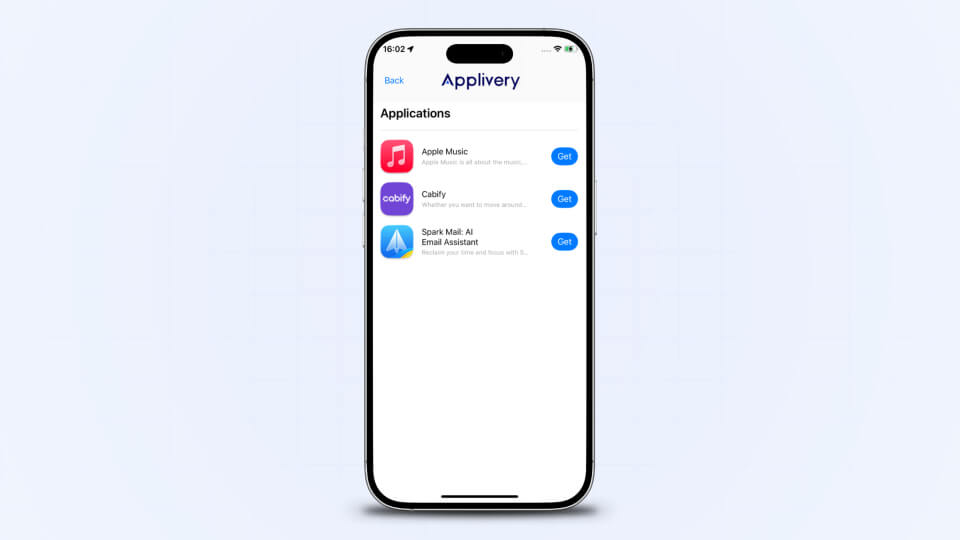
The portal only shows the applications that IT has approved for each profile. María can install them with one click, without additional permissions and without waiting for the technical team to step in. The catalog is the one IT has defined. Nothing more, nothing less.
Seamless app updates
Corporate apps are updated automatically without interrupting work. María does not receive pop-up windows or have to pause what she is doing. If an update is pending, the portal notifies her and lets her run it when it is convenient.
Device status
From the same portal, María can see whether her device complies with the company’s security policies, whether anything is pending configuration, and the general status of her device. No calls. No ticket just to ask.
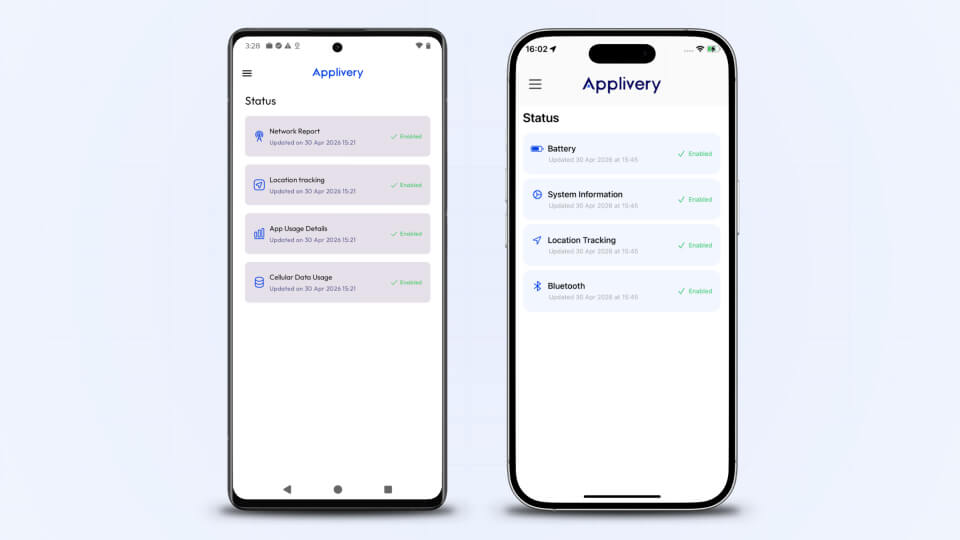
Notifications and IT updates
The portal centralizes relevant alerts for the employee: available apps, updates, and communications from the IT team. Everything is in one place, without depending on email or external channels.
Bookmarks and corporate resources
IT can distribute links and resources directly through the portal, making them available to employees at any time from their device.
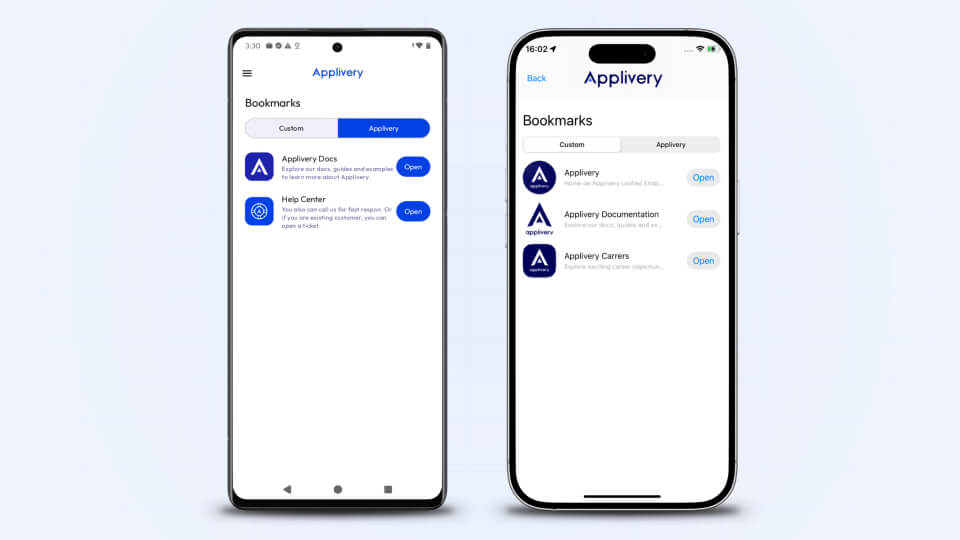
A portal branded for your company
When María opens her portal, she does not see a generic tool with the Applivery logo. She sees an app with her company’s logo and name, configured by IT in minutes from the Applivery console.
That detail has a real impact on adoption. When employees visually recognize a tool as part of their company, they trust it more and use it more. A customized Self-Service Portal is not perceived as just another external tool. It becomes a natural part of the employee’s digital experience.
Self-service with intelligent limits
Autonomy does not mean unlimited access. This is the most important point for any IT team. The Self-Service Portal does not remove technical control or open the door to unauthorized actions. Quite the opposite: it allows certain actions to move to the employee without giving up governance.
IT defines which sections are available, which applications each user can see, which resources are shown, and what device information can be consulted. Anything outside those limits is simply invisible to the employee.
The employee gains autonomy, but always within the perimeter defined by the organization. That is the difference between uncontrolled self-service and an IT-managed self-service portal.
The best support ticket is the one that never gets opened
When María starts her morning, she no longer has to wait. She opens her Self-Service Portal, installs what she needs, checks that everything is in order, and gets to work. No tickets. No waiting. No dependency on anyone else.
And the IT technician, instead of handling routine installations, is working on what truly moves the business forward. If your IT team is still spending time on requests that employees could solve on their own, it may be time to change the model.
If your IT team still spends hours on manual installations, answering “can you install X for me?” tickets, or chasing outdated devices, it may be time to rethink the model.
Request a free demo and discover how Applivery’s Self-Service Portal can transform the day-to-day work of your technical team.
Frequently Asked Questions (FAQ)
What is Applivery’s Self-Service Portal?
It is an application available directly on the employee’s device that allows them to install approved corporate applications, check the status of their device, manage updates, and access resources distributed by IT, without opening a ticket or waiting for the technical team to step in.
Can employees install any application?
No. The portal only displays the applications that IT has approved and assigned to that specific profile. Employees cannot install anything outside the corporate catalog or access settings that have not been explicitly enabled. IT remains in control at all times.
Can the portal be customized with the company’s branding?
Yes. IT can configure the organization’s logo and name directly from the Applivery console, so the portal reflects the company’s corporate identity.
Does it work across all operating systems?
The Self-Service Portal is available for iOS, Android, macOS, and Windows. Its behavior may vary depending on the active management mode on each platform. Check Applivery’s technical documentation for the details of each configuration.
Which Applivery plan includes it?
The Self-Service Portal is available in plans that include UEM management. To verify which features are included in your plan, contact Applivery’s sales team.