

At Applivery, we start the year with new features designed to optimize app distribution and device management. These improvements will make your work easier and give you more control over your processes. Below, we detail all the new features for the month of January.
Improvements for sharing published apps
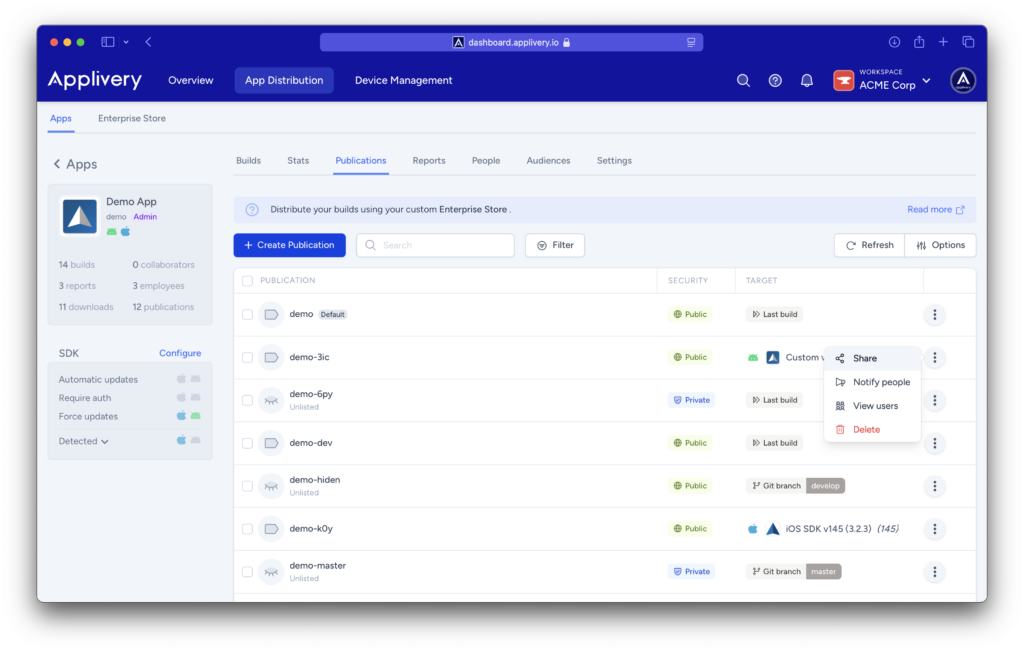
Sharing your published apps on App Distribution is now easier and more efficient. Administrators can:
- Share the direct app link: Quickly and easily send the link to your app, making distribution among users simpler.
- Share a QR code: Generate and share a QR code so users can instantly access the app and download it quickly.
These improvements optimize the distribution process, ensuring faster and more convenient access to apps for all users.
Advanced app download statistics
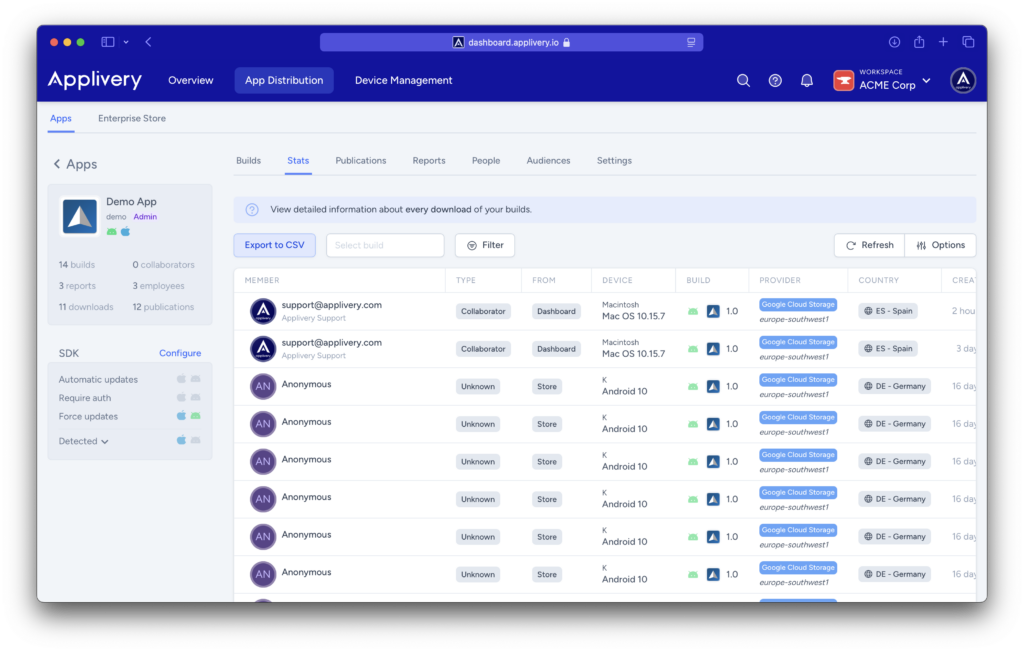
We’ve enhanced the statistics section in App Distribution to provide you with more detailed information about your app downloads. You will now have access to key data such as:
- Storage region: Know where your app is hosted.
- Download country: Identify which countries your apps are being downloaded from.
Additionally, we’ve added new filters to make analyzing this data easier:
- User type: Filter downloads based on the user’s role within the organization.
- Download source: Identify the origin of each download for more accurate tracking.
Thanks to these improvements, you’ll have a more comprehensive view of your app’s performance, allowing you to optimize its distribution and reach strategically.
New quick actions menu for devices
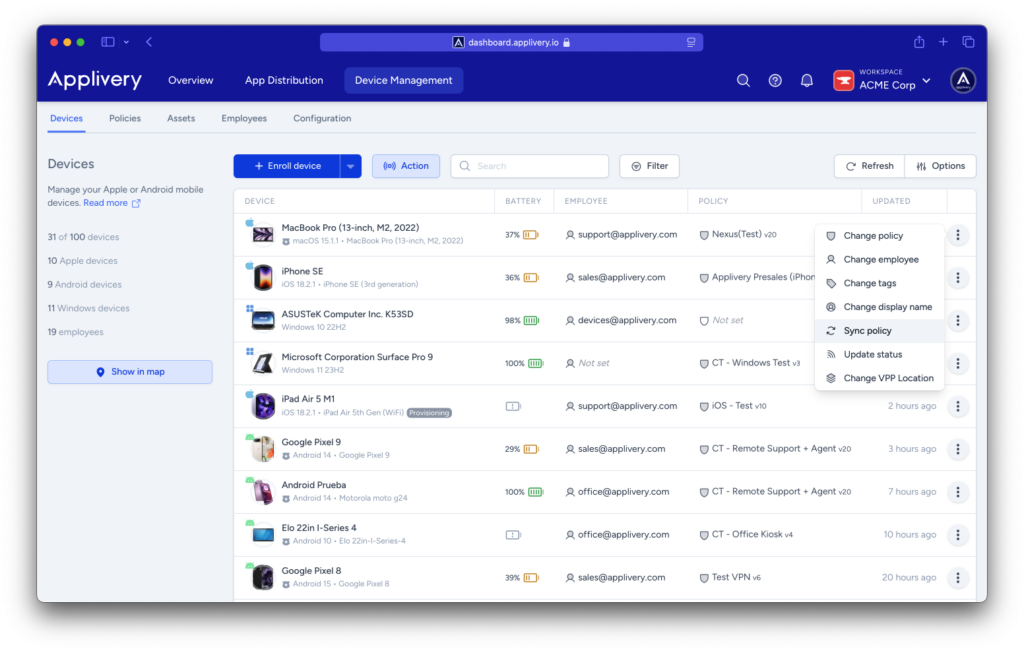
Managing individual devices has become more intuitive with the addition of a quick actions menu in the device list. To access this feature, simply click the three vertical dots (⋮) next to any device. From there, you can perform various actions instantly and with ease.
This change simplifies device management, giving you greater control and efficiency in day-to-day operations.
Bulk device enrollment
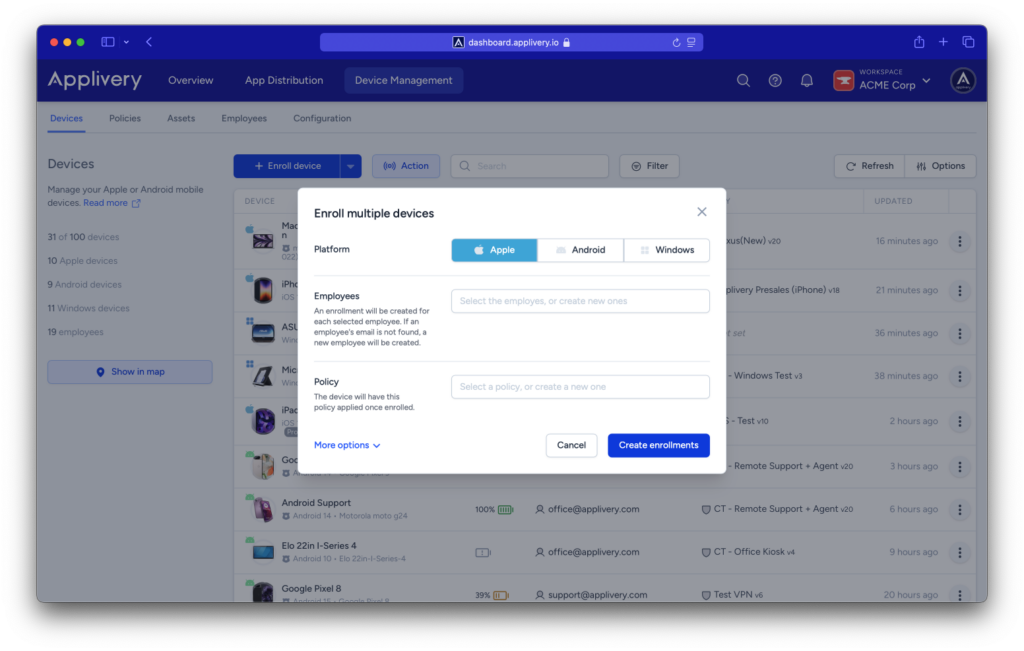
It’s now possible to enroll multiple devices on the platform simultaneously, significantly streamlining the process.
What changes have we introduced?
Until now, devices could only be enrolled one by one. With this update, you can enroll multiple devices at once, optimizing time and resources.
How does it work?
In the device list, go to the dropdown menu next to “+ Enroll device” and select “+ Enroll multiple devices.” An individual enrollment will be created for each selected employee. If an employee’s email isn’t registered, a new profile will be generated automatically.
This new feature simplifies and speeds up device management, allowing you to efficiently manage large volumes of enrollments without extra effort.
All these improvements are now available in the dashboard. We invite you to explore the new features and make the most of all the capabilities of our platform.