




Rugged device management for the warehouse, the store and the road

Handheld scanners, rugged tablets and vehicle terminals come out of the cradle enrolled, configured with their manufacturer’s own settings and locked to the job, then stay updated and supported from one cloud console.

  • Zero-touch, Knox and QR enrollment in bulk
  • Zebra, Bluebird and Samsung settings through OEMConfig
  • Updates that wait for the end of the shift
  • Android with or without Google services

Trusted by

  • BMW
  • Mercedes-Benz
  • Snapchat
  • Supercell
  • Scopely
  • McDonald's
  • Goiko
  • Netflix
  • Starbucks
  • BNP Paribas
  • Lloyds Bank
  • Banco Sabadell
  • Danske Bank

Why rugged is different

Devices that work in shifts, managed around them

Rugged devices are shared, spread across sites and tied to one task. The usual phone policy is not enough: they need their manufacturer’s settings and updates that never stop a shift.

  • On the floor: Hundreds of terminals arrive at once, and each one takes an hour to set up by hand

    With Applivery: Zero-touch, Knox Mobile Enrollment or a QR code put each device on its policy on first boot

  • On the floor: Scanner, battery and radio settings live in each manufacturer’s own tools

    With Applivery: OEMConfig brings Zebra, Bluebird and Samsung settings into the same policy as everything else

  • On the floor: An update or a reboot in the middle of a shift stops the line

    With Applivery: Updates install in a nightly window, can be postponed, and freeze during peak season

  • On the floor: Devices are spread across docks, stores and vans, far from IT

    With Applivery: Location, Lost Mode and remote commands reach every device wherever it is

Enrollment in bulk

From the box to the shift, without touching each device

Pick the method that fits how your devices are bought. Each one assigns the right policy on first boot.

Zero-touch enrollment

Devices bought from a zero-touch reseller are linked to Applivery before they ship. Out of the box, they connect and download their policy on their own.

  • Android 9.0 or later
  • Devices from a zero-touch partner reseller
  • Configured once in the Zero-touch portal

Manufacturer settings

Each manufacturer’s own settings, in the same policy

OEMConfig is how manufacturers expose what only their hardware has. Applivery applies it from the policy, next to the rest of the device’s configuration.

  1. 01 / 03

    Zebra OEMConfig Powered by MX

    Battery thresholds and charge limits, the remote scanner, mobile data APNs, Doze Mode, RFID and more, set from the policy and checked against each device’s MX version.

    Read the Zebra Docs
  2. 02 / 03

    Bluebird OEMConfig

    Kiosk settings, the scan clip and file downloads, plus a notification on the device when the battery’s health, cycles or temperature cross the limits you set.

    Read the Bluebird Docs
  3. 03 / 03

    Samsung Knox Service Plugin

    The Knox Service Plugin is force-installed by the policy and opens firmware control to Knox E-FOTA, so Samsung devices take the firmware version you approve.

    Read the Knox E-FOTA Docs

Updates and firmware

Updates on your schedule, never mid-shift

Decide when Android updates reach your devices, and keep firmware on the version you have tested.

  • WindowedUpdates install only in the daily window you set, after the last shift.
  • PostponeHold an update back for up to 30 days while you test it.
  • Freeze periodsBlock updates on the dates that matter most, every year.
  • FirmwareZebra firmware through OEMConfig, and Samsung through Knox E-FOTA.

AOSP devices

Without Google services, still fully managed

Many industrial PDAs, point-of-sale terminals and signage players run Android without Google. Applivery manages them with its own components, no Managed Google Play required.

  • Networks and certificatesWi-Fi with EAP-TLS, PEAP or TTLS, certificates and Always-On VPN with lockdown.
  • Manufacturer settingsZebra, Bluebird and Samsung OEMConfig, as on any other device.
  • Kiosk modeSingle App and the Advanced Launcher, for terminals with one job.
  • Silent installsYour own APKs install and update without a tap, through Self-Service.

AOSP devices enroll with a QR code. Lost Mode needs Google services, and remote support for AOSP is in development.

Read the AOSP Docs

Ready for the job

Locked to the task, connected to the right network

Everything a shared terminal needs on day one, set once in the policy and applied to the whole fleet.

  • Kiosk mode

    One app or a short list of them, with the status bar, buttons and settings out of reach.

    Explore Kiosk Mode
  • Wi-Fi and allowed networks

    Push the warehouse network with its certificate and keep devices off any other SSID.

  • Always-On VPN

    Traffic from the field goes through your VPN, and lockdown mode blocks it when the tunnel is down.

  • Work apps, installed for them

    Private apps through Managed Google Play or Self-Service, force-installed and kept up to date.

In the field

Wherever the device goes, IT can reach it

Vans, yards and stores are far from the helpdesk. Find a device, lock it or bring it back to work without a trip.

  • Location historyThe Applivery agent reports where each fully managed device has been.
  • Lost ModeShow a message and a contact, ring the device and follow it minute by minute.
  • Remote commandsLock, reboot or reset the password of a device from the console.
  • Remote supportSee and control the screen with the Applivery Remote Support app.
Explore Remote Support

In figures

Built for fleets that never stop

Three numbers from the documentation that matter on the floor.

  • 80+

    Settings on AOSP devices, without Google services

  • 15 min

    Between location updates on the Advanced plan

  • 30 days

    The longest an Android update can be postponed

Location updates every hour on the Starter plan.

Customer story

Zebra terminals in 100+ stores, one console

How Brownie had the kiosk policy for all its Zebra terminals ready in under three weeks.

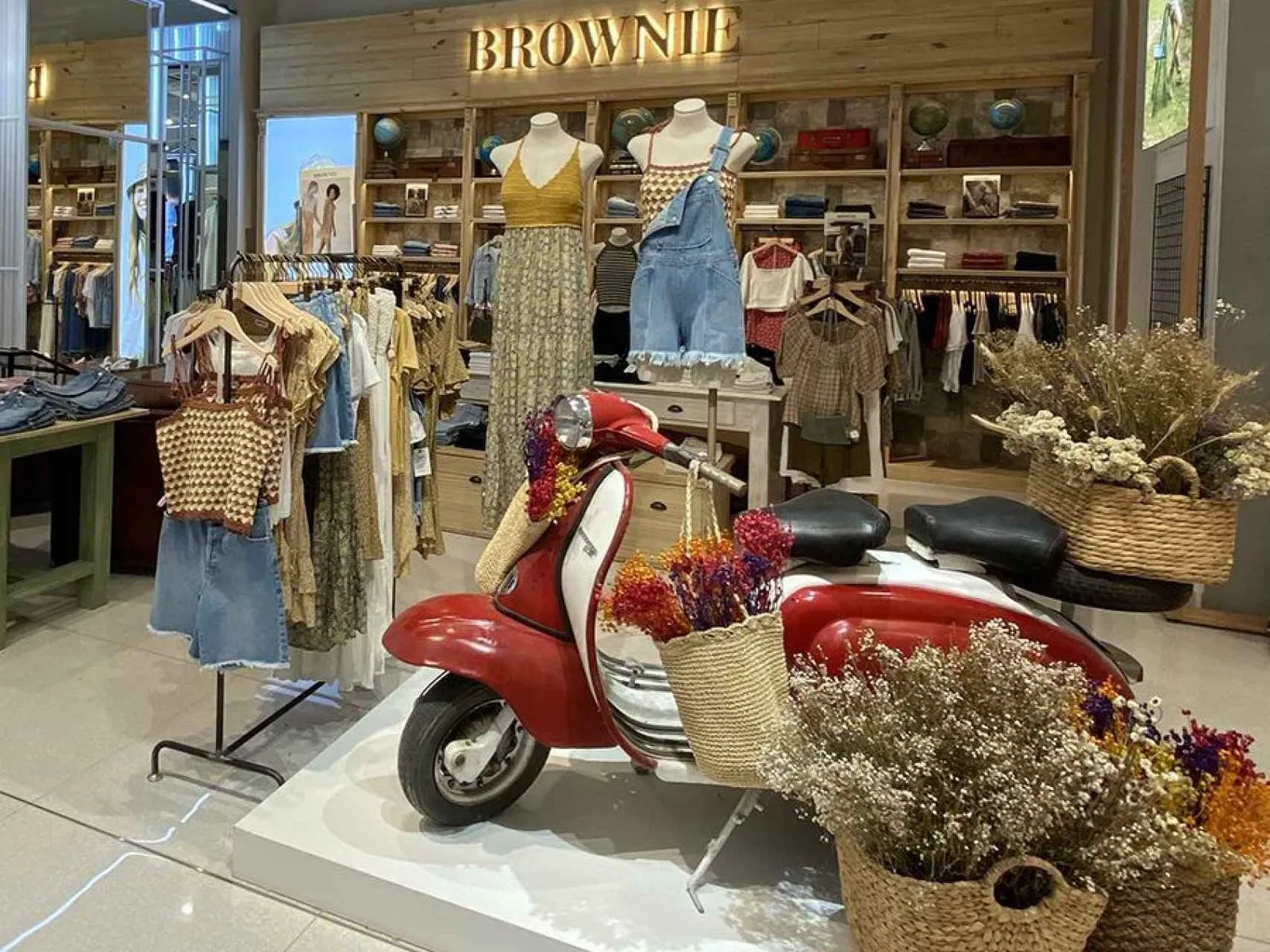
Inside a Brownie store: clothes on rails and shelves under the brand name, with a red scooter on display.

Customer story · Fashion retail · 9 countries

Brownie runs the Zebra terminals of 100+ stores from one console

Before Applivery, every incident was solved over the phone or with a trip to the store. Now Brownie’s IT team fixes issues remotely, locates devices, restricts apps and websites, and adds the terminals of each new store with the policies already in place.

stores
100+
countries
9
to the store policy
< 3 weeks
Read the story: Brownie
  • G2 High Performer EMEA, Winter 2026
  • G2 Best Support, Winter 2026
  • G2 Easiest To Do Business With, Winter 2026
  • G2 Momentum Leader, Winter 2026

A trusted name in the industry

Recognition from leading platforms for our performance, security, and support validates our commitment to engineering a best-in-class solution.

Put your rugged fleet on one console

Start a 14-day free trial with no credit card, or book a demo and we will set up your first rugged policy with you.

  • 14 day free trial
  • No credit card required

Rugged device management FAQs

What is rugged device management?

Rugged device management is the use of an MDM platform to enroll, configure, secure and support rugged Android devices, such as handheld scanners, rugged tablets and vehicle terminals, from one console. It adds the manufacturer’s own settings through OEMConfig, updates scheduled around shifts, kiosk lockdown and remote commands, so devices stay on their job.

Which rugged devices can Applivery manage?

Any rugged device that runs Android Enterprise, and devices that run Android without Google services (AOSP). Applivery documents OEMConfig for Zebra, Bluebird and Samsung Knox, so their manufacturer settings and firmware are managed from the same policy as the rest of the device.

What is OEMConfig?

OEMConfig is the Android Enterprise standard that lets a manufacturer expose settings only its hardware has, such as scanner, battery or radio options, through an app with managed configurations. Applivery installs that app and fills in its settings from the policy, for example with Zebra OEMConfig Powered by MX.

How do I enroll hundreds of rugged devices at once?

Use zero-touch enrollment for devices bought from a partner reseller, Samsung Knox Mobile Enrollment for Samsung devices, or one QR code for a whole batch. Smart Enrollment rules then assign each device its policy from its IMEI or serial number.

Can I update the firmware of Zebra and Samsung devices?

Yes. Zebra firmware is updated through Zebra OEMConfig, with file-based updates from your own server on Android 11 or later. Samsung firmware is managed with Knox E-FOTA, enabled through the Knox Service Plugin, which needs a Knox Suite Enterprise Plan.

How do I stop updates from interrupting a shift?

In the policy’s System Update setting, choose a daily window so updates install only after the last shift, or postpone an update for up to 30 days. Freeze periods block updates on the same dates every year, such as peak season.

Do rugged devices need Google services to be managed?

No. Applivery manages AOSP devices with its own device owner app, Self-Service for silent installs and a real-time command channel. They enroll with a QR code. Some features still need Google services, such as Lost Mode, and remote support for AOSP is in development.

Can I find a lost rugged device?

Yes. The Applivery agent reports the location of fully managed and COPE devices, every 15 minutes on the Advanced plan. Lost Mode shows a message and a contact on the screen, rings the device and sends its location every minute.




