



Retail

Device management for retail stores

Keep every till, handheld, shared tablet and screen working in every store, without IT on site, from one European cloud console certified to ENS High.

  • Tills and kiosks locked to one app
  • Zebra terminals configured remotely
  • No OS updates during peak season
  • Certified to ENS High and ISO 27001

Trusted by

  • Starbucks
  • McDonald's
  • Goiko
  • BMW
  • Mercedes-Benz
  • Snapchat
  • Supercell
  • Scopely
  • Netflix
  • BNP Paribas
  • Lloyds Bank
  • Banco Sabadell
  • Danske Bank

The challenge

Every sale runs on a device, and no store has IT on site

Tills, handhelds, shared tablets and screens are spread across dozens or hundreds of stores, used by teams that change every season.

  • Stores without IT

    When a terminal fails, someone talks the store through it on the phone or travels there. Neither scales to a hundred stores.

  • Tills that can’t stop

    A till stuck on a pop-up, an update or the wrong app is a queue at the counter and a lost sale.

  • Teams that change every season

    Seasonal staff join and leave, and the same devices pass from hand to hand on every shift.

  • Customer data in every store

    Payments, loyalty programmes and click-and-collect put customers’ personal data on devices spread across the network.

For every team

One platform, from head office to the shop floor

Central IT, store teams and the screens and kiosks customers use, all with the same console and the same policies.

  • For central IT

    Every store from one console

    See the state of every device in every store, apply one policy to the whole network and give each region or country its own space.

    • Workspaces and segments by region, country or store
    • Compliance checks with automatic enforcement rules
    • Custom roles for regional or franchise managers
  • For store teams

    Devices ready for every shift

    Give staff shared devices with only the apps they need, and keep the settings for the store manager or the technician.

    • Shared devices with the approved apps only
    • Settings protected by password
    • The store’s name or device on the launcher’s header
  • For signage and kiosks

    Screens and kiosks that run on their own

    Lock self-service kiosks to one app and keep screens on all day, with nothing a customer can tap their way out of.

    • Single-app kiosk for self-service and information points
    • Screen always on and fixed brightness
    • Network recovery at boot so a screen never gets stuck

How Applivery helps

Every device in the store, working from opening to close

Tills, handhelds, kiosks, screens and staff devices: the same policies and the same view of every store, on Android, Apple and Windows.

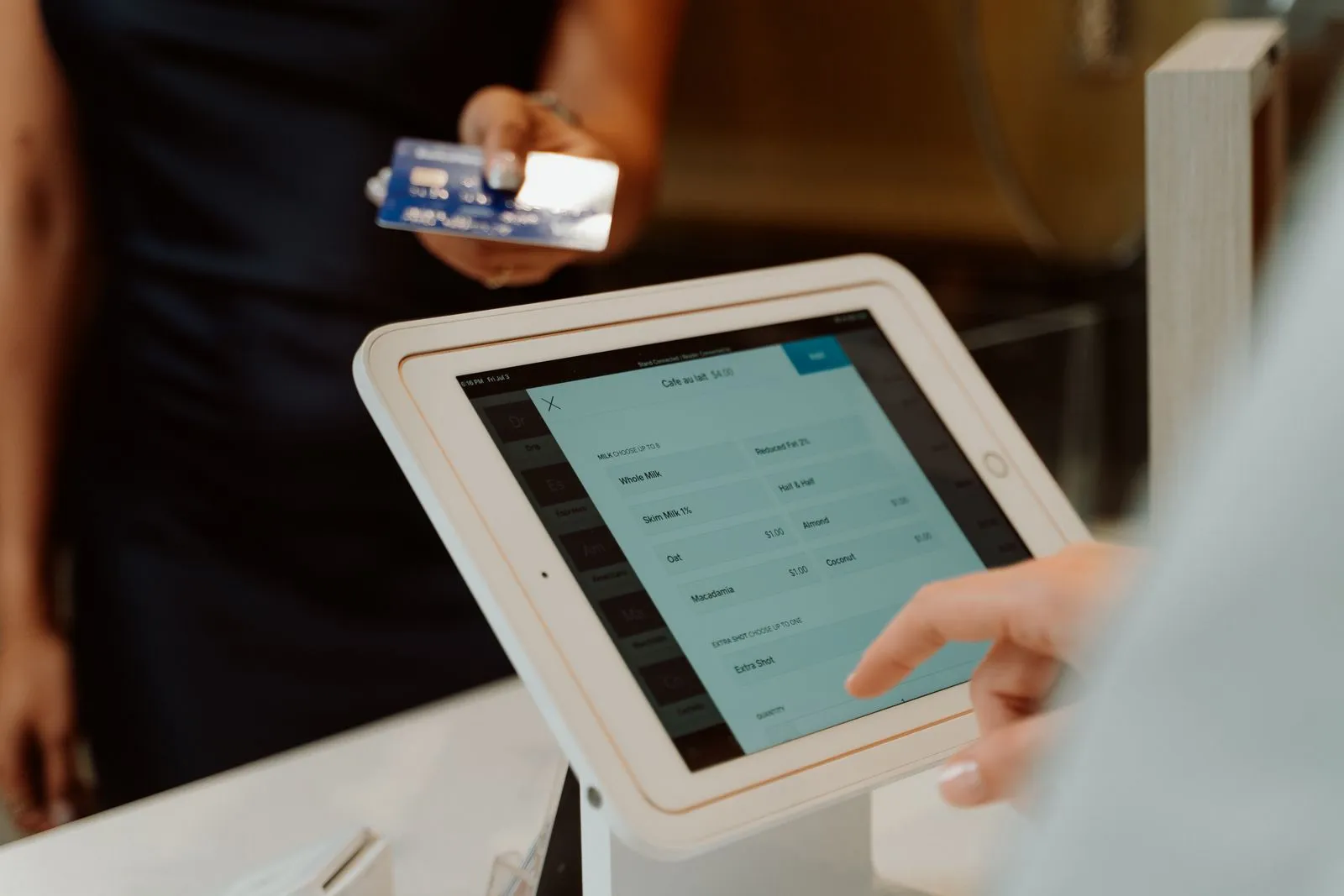
A shop assistant taps an order on a tablet in a stand while a customer holds out a payment card.

Tablets that work as tills

Turn a tablet into a point of sale that only runs your POS app. No home screen, no notifications and no power menu to tap by mistake, and if the store’s Wi-Fi changes, the device can still recover its policy at boot.

  • Single-app kiosk on Android, App Lock on iPad
  • Navigation, status bar and power button blocked
  • Network Escape Hatch so a till never gets stuck at boot

More about Kiosk Mode
A row of digital menu boards above a counter, under hanging orange lamps.

Digital signage that stays on

Run menu boards, shop-window screens and information panels with Applivery’s Advanced Launcher in kiosk mode: the screen stays on while plugged in, brightness is fixed and each screen shows which store it belongs to.

  • Screen always on and stay on while plugged in
  • Fixed brightness and screen timeout set by policy
  • Header and footer with the store or device name
More about Digital Signage
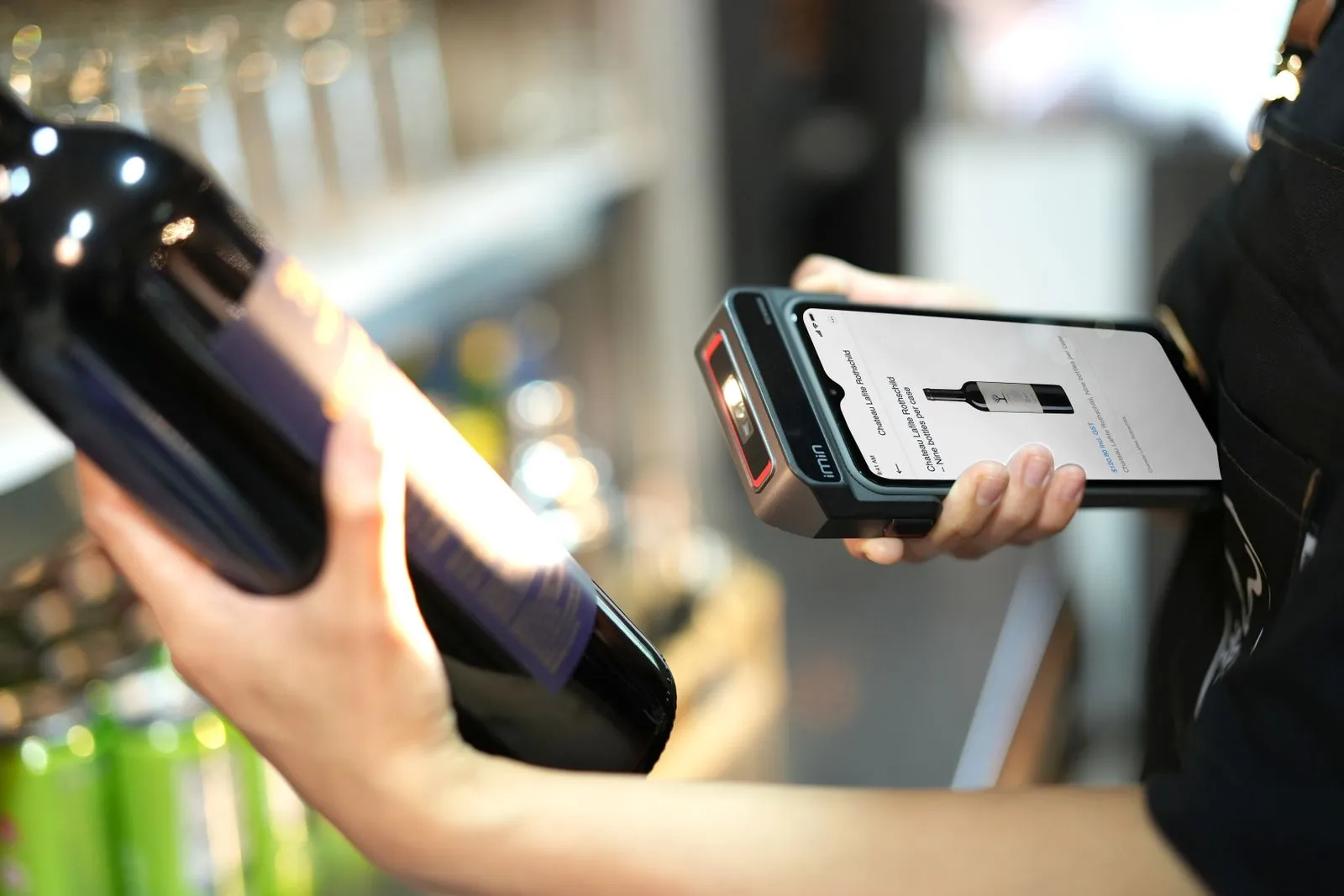
A shop worker scans a wine bottle with a handheld terminal.

Zebra handhelds configured from head office

Configure the Zebra terminals your teams use for stock and sales, from Wi-Fi to the scanner, and update their firmware without touching them. If a handheld goes missing, find it, lock it or wipe it.

  • Zebra OEMConfig and Samsung Knox Service Plugin
  • Firmware updates deployed remotely
  • Device location, remote control and remote wipe on Android
More about Dedicated Devices
Shoppers walk through a shopping centre decorated with a large Christmas tree.

No updates in peak season

Install OS updates only in a nightly window when stores are closed, and freeze them every year over the months that matter, such as November and December, so no till changes version in the middle of the sales.

  • Daily maintenance window for OS and app updates
  • Freeze periods that repeat every year
  • Updates postponed up to 30 days when you need time
More about Managed OS Updates
Two women unpack boxes next to a laptop in a clothing store that is getting ready to open.

New stores, ready at first boot

Ship devices straight to each new store. They enroll on their own at first boot and arrive with the store’s policies, apps, Wi-Fi and certificates, so opening a store doesn’t need IT on site.

  • Android Zero-Touch, Samsung Knox Mobile Enrollment and Apple Automated Device Enrollment
  • Smart Enrollment rules by store, region or role
  • Wi-Fi and certificates installed by policy
More about Device Enrollment
A shop worker checks a tablet next to a rail of clothes in a fashion store.

Support and security without a trip to the store

Help store staff by taking control of the device remotely, restrict the apps and websites each device can open, and protect customer data if a device is lost or stolen.

  • Remote control on Android and Windows
  • Allowed apps and website allow and block lists
  • Lost Mode, remote lock and remote wipe
More about Remote Support

Customer stories

Retailers already run their stores on Applivery

Fashion brands that manage their store terminals and their sales teams’ devices with Applivery.

Inside a Brownie store: clothes on rails and shelves under the brand name, with a red scooter on display.

Customer story · Fashion retail · 9 countries

Brownie runs the Zebra terminals of 100+ stores from one console

Before Applivery, every incident was solved over the phone or with a trip to the store. Now Brownie’s IT team fixes issues remotely, locates devices, restricts apps and websites, and adds the terminals of each new store with the policies already in place.

stores
100+
countries
9
to the store policy
< 3 weeks
Read the story: Brownie
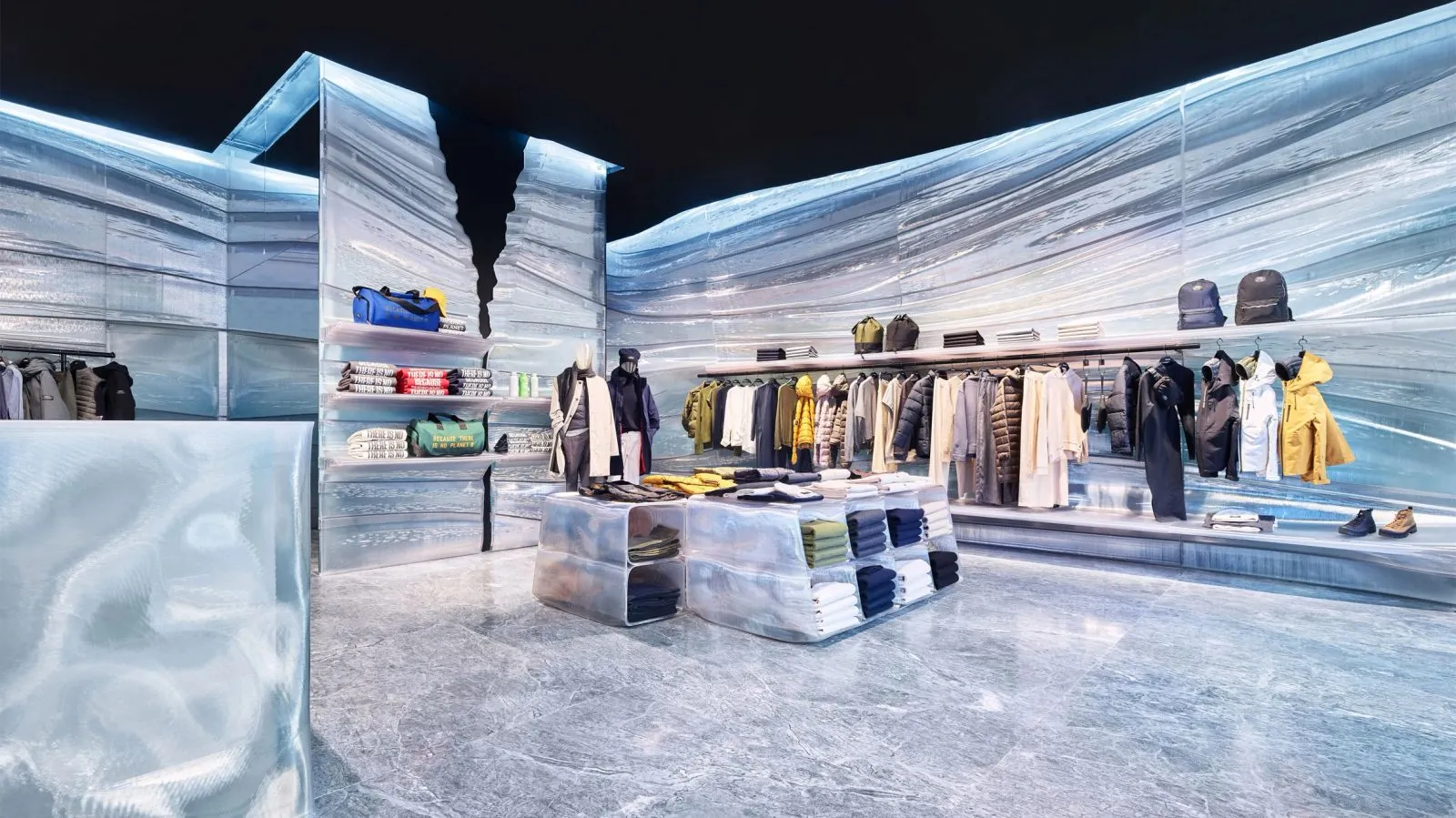
An ECOALF store with 3D-printed walls and clothes on rails and tables.

Customer story · Sustainable fashion · with Econocom

ECOALF’s sales agents get every lookbook on a managed iPad

With Econocom Products & Solutions, ECOALF replaced printed lookbooks with managed iPads: new collections and promotions reach every agent automatically and at the current version, with less paper and less shipping.

Read the story: ECOALF

Security and compliance

Certified to ENS High, with data in Spain

Applivery holds the certifications large retailers ask of their technology suppliers, and gives you the device controls the frameworks you answer to expect.

What Applivery holds

What Applivery helps you meet

GDPRCustomer and staff data
Encryption, passcodes, Lost Mode and remote wipe protect personal data on store devices that are lost, stolen or shared.
PCI DSSDevices in your payment environment
Tills locked to the POS app, encryption, passcodes and allowed apps and websites, with the state of every device to show your assessor.
Your store standardOne configuration for every store
The same policies, apps and restrictions in every store, and devices that drift out of policy flagged, with automatic blocking on Android.

Applivery’s certifications cover Applivery’s own systems, and Applivery handles no card data. Your compliance with each framework is assessed on your organization; Applivery provides the device controls and the evidence they ask for.

  • G2 High Performer EMEA, Winter 2026
  • G2 Best Support, Winter 2026
  • G2 Easiest To Do Business With, Winter 2026
  • G2 Momentum Leader, Winter 2026

A trusted name in the industry

Recognition from leading platforms for our performance, security, and support validates our commitment to engineering a best-in-class solution.

Keep every store selling

See Applivery with your own tills, handhelds and screens in a demo, or start a free trial today.

  • 14-day free trial
  • No credit card required

Frequently asked questions

What is MDM for retail?

MDM for retail is software that lets a retailer enroll, configure, secure and support every till, handheld, shared tablet, kiosk and screen in its stores from one console. It locks devices to the apps they need, keeps them updated outside opening hours and shows the state of every store without sending IT there.

Can Applivery turn a tablet into a point of sale or a kiosk?

Yes. On Android, single-app kiosk mode locks a fully managed tablet to your POS or self-service app, with navigation, the status bar and the power button blocked. On iPad, App Lock does the same, and Windows PCs can run as multi-app kiosks.

Can Applivery manage digital signage?

Yes. Applivery’s Advanced Launcher in kiosk mode keeps Android screens on while they are plugged in, fixes their brightness and shows the store or device name in a header or footer, so every screen is identified across the network.

Can Applivery manage Zebra handhelds?

Yes. Applivery configures Zebra devices with Zebra OEMConfig, from Wi-Fi and Bluetooth to the scanner, and deploys firmware updates remotely. It also supports the Samsung Knox Service Plugin, and IT can locate, control or wipe Android devices from the console.

Can we stop OS updates during peak season?

Yes. An Android policy can install updates only in a daily maintenance window, postpone them up to 30 days, or freeze them over periods of at least 60 days that repeat every year, such as 1 November to 31 December. On Apple devices, updates can be deferred and then scheduled.

How do new stores get their devices?

Devices bought through Android Zero-Touch, Samsung Knox Mobile Enrollment or Apple Business enroll on their own at first boot. Smart Enrollment rules give each one the policies, apps, Wi-Fi and certificates of its store.

Where is the data stored?

Customer data is stored in Madrid, Spain. Applivery is a European company and complies with the GDPR.