




Development & QA

App distribution for development and QA teams

Publish every build from your CI pipeline, give each team and tester the version they need, collect bugs from inside the app and roll a release out ring by ring, on iOS, Android, macOS and Windows.

  • Builds published from Jenkins, GitHub Actions or Bitrise
  • A separate publication for every team and tester
  • Bug reports with screenshots, from inside the app
  • Releases promoted ring by ring, with tags

Trusted by

  • Supercell
  • Scopely
  • BMW
  • Mercedes-Benz
  • Snapchat
  • McDonald's
  • Goiko
  • Netflix
  • Starbucks
  • BNP Paribas
  • Lloyds Bank
  • Banco Sabadell
  • Danske Bank

The challenge

The build is ready, getting it to the right people isn’t

Developers, QA, product owners and clients each need a different version, on different devices, and the store is not where pre-release builds belong.

  • Builds sent by hand

    Uploading files to a shared drive and sending links on chat breaks with every build, and nobody is sure which one is the latest.

  • Every audience wants another version

    QA needs the nightly build, the client the release candidate and the field team the stable one, each with access only to its own.

  • Bug reports without context

    Testers describe a bug in a message, without the screen, the device or the build it happened on, and QA spends the morning reproducing it.

  • Releases with no way back

    A version that reaches everyone at once breaks for everyone at once, and Android won’t install an older build over a newer one.

From commit to release

Four steps, one pipeline

How a development and QA team works with Applivery: upload from CI, share each build with its audience, test with feedback from inside the app and release ring by ring.

  1. A developer in a green sweater types code at a desk with two monitors, in an open office with colleagues on a sofa behind him.

    Step 1 · Upload

    Every build, straight from your pipeline

    Add Applivery to Jenkins, GitHub Actions, Bitrise, Fastlane or Azure Pipelines, or call the Upload API, and every build lands in the same app, whatever its platform: .ipa, .apk and .aab, .pkg and .dmg, .msi, .exe and .msix. Tag it, write its release notes in Markdown, and let a retention policy clear out old builds.

    • Jenkins, GitHub Actions, Bitrise, Fastlane and Azure Pipelines
    • iOS, Android, macOS and Windows builds in one app
    • Tags, Markdown release notes and build retention

    More about App Distribution
  2. A hand holds an iPhone showing a home screen of app icons over the keyboard of an open laptop.

    Step 2 · Share

    Each audience gets its own version

    Create a publication for each audience and let it pick its build: chosen by hand, by tag, by Git branch, or always the latest. Keep it private behind your SSO, protect it with a password or a one-time code for an external tester, make it expire, and decide who is told when a new build arrives. For Ad-Hoc iOS builds, collect your testers’ UDIDs from the same app store.

    • Build picked by hand, by tag, by branch or the latest
    • SSO, password or one-time code, with an expiry date
    • UDID collection for Ad-Hoc iOS builds
    More about the Enterprise App Store
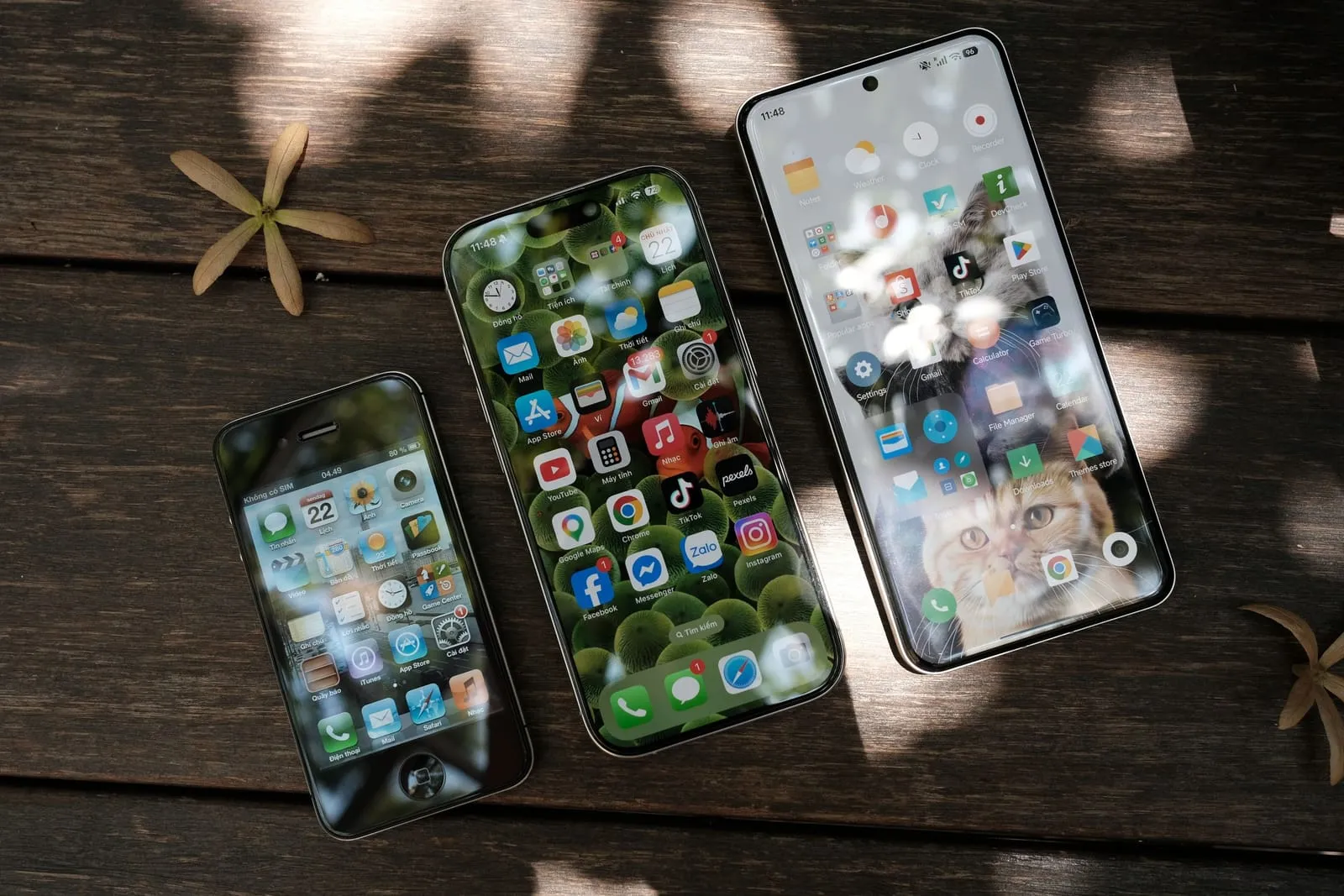
  3. Three smartphones of different sizes lie side by side on a wooden table in dappled sunlight, showing their home screens.

    Step 3 · Test

    Bugs reported from inside the app

    Add the Applivery SDK to your iOS or Android app and testers report a bug with a screenshot or a video, with the device and the build attached. The SDK offers each new build as an update, and blocks versions below the minimum you set. Test on real devices in BrowserStack App Live, or install a chosen build silently on your own managed test devices.

    • Feedback and bug reports with screenshot or video
    • In-app updates and forced updates
    • BrowserStack App Live and managed test devices
    More about Beta Testing
  4. Two developers sit at monitors showing code while a colleague points at a diagram on a large screen at the front of the room.

    Step 4 · Release

    Ring by ring, with a way back

    Give each ring its own publication that serves builds with a tag: a pilot, a wider rollout, everyone. Promote a release by adding the next ring’s tag to the same build. If a version goes wrong, rebuild the last good one with a higher version number and move the tag to it, so every device takes it as an update. Webhooks and Slack tell your tools when each build is ready.

    • Deployment rings built from tags and publications
    • Rollback by shipping the good version forward
    • Webhooks and Slack on every new build
    More about App Distribution

On every platform

What your team can ship, platform by platform

Each platform has its own packages and limits. This is what Applivery does with your builds on each one, as our documentation states it.

CapabilityiOSAndroidmacOSWindowsOther platforms
Upload from CI/CDAvailableAvailableAvailableAvailableAvailableOn request
Install from a linkAvailableAd-Hoc, Enterprise, DevelopmentAvailableAPK, or AAB as universal APKAvailable.pkg, .dmgAvailable.msi, .exe, .msixAvailableDownload
Rings and rollbackAvailableAvailableAvailableAvailableAvailable
In-app feedback and bug reportsAvailableSDKAvailableSDKNot availableNot availableNot available
Forced updatesAvailableSDKAvailableSDKNot availableNot availableNot available
UDID collectionAvailableAd-Hoc buildsNot availableNot availableNot availableNot available
Silent install on managed test devicesAvailableIn-house .ipaAvailableChosen buildAvailable.pkgAvailableNot available

Customer story

Hundreds of builds a day, each to the team that needs it

How MobilityWare publishes every game build from its CI pipeline to its developers and QA.

Screens from MobilityWare’s card and puzzle games, Solitaire among them, laid out side by side.

Customer story · Mobile games · California, US

MobilityWare ships several hundred game builds a day to its developers and QA

When HockeyApp moved to App Center, the publisher of Solitaire looked for a replacement. With Applivery, its CI pipeline publishes every build automatically, and each team gets its own publication, with the users and the version it needs.

versions and variants a month
5,000+
downloads of its games
400M+
Read the story: MobilityWare

Other teams

One platform, for every IT team

The devices your builds run on are managed by helpdesk, security, operations and workplace teams. See what Applivery does for each of them.

  • G2 High Performer EMEA, Winter 2026
  • G2 Best Support, Winter 2026
  • G2 Easiest To Do Business With, Winter 2026
  • G2 Momentum Leader, Winter 2026

A trusted name in the industry

Recognition from leading platforms for our performance, security, and support validates our commitment to engineering a best-in-class solution.

Ship the next build to the right people

See your own pipeline publish to Applivery in a demo, or start a free trial and upload your first build today.

  • 14-day free trial
  • No credit card required

Frequently asked questions

Which CI/CD tools does Applivery work with?

Applivery has integrations for Jenkins, GitHub Actions, Bitrise, Fastlane and Azure Pipelines, and syncs builds with BrowserStack App Live. Any other pipeline can upload builds through the Upload API.

Do testers need an Applivery account?

Not necessarily. A publication can be private behind your SSO, protected with a password or a one-time code, or shared by link, and it can expire on a date. Testers who use an app with the Applivery SDK don’t need to register.

Can we distribute iOS apps outside the App Store?

Yes. Applivery distributes iOS and macOS apps signed for Enterprise (in-house), Ad-Hoc and Development, and supports TestFlight-signed apps. For Ad-Hoc builds, testers can register their device’s UDID from your app store, so you can add it to the provisioning profile.

How do we roll back a bad release?

Rebuild the last version that worked with a higher version identifier, upload it and move the ring’s tag to it, so every device installs it as an ordinary update. Android refuses to install an older build over a newer one, so re-serving the old build isn’t enough. If you use forced updates, lower the minimum version too.

Can we install builds on our own test devices without user interaction?

Yes, with Applivery Device Management: a chosen build installs silently on managed Android devices, in-house .ipa builds on iPhone and iPad, .pkg on Mac and apps on Windows.

Where are our builds stored?

In the EU (Ireland) by default. On the Enterprise plan, builds can be stored in your own AWS S3 or Google Cloud bucket, and a retention policy decides how long old builds are kept.