
Announcing Device Management Optimizations

Applivery’s June update streamlines mobile device management with important information about the Android Enterprise service and device management announcements.
We're thrilled to share some news as we've made improvements to make your experience even better
Hello to all technology lovers! In this article, we will explore the exciting improvements that Applivery has implemented this month, bringing device management to a new level. From optimizations in device management to personalized settings, let’s dive deep!

📢 New Display Settings Management for Android Devices!

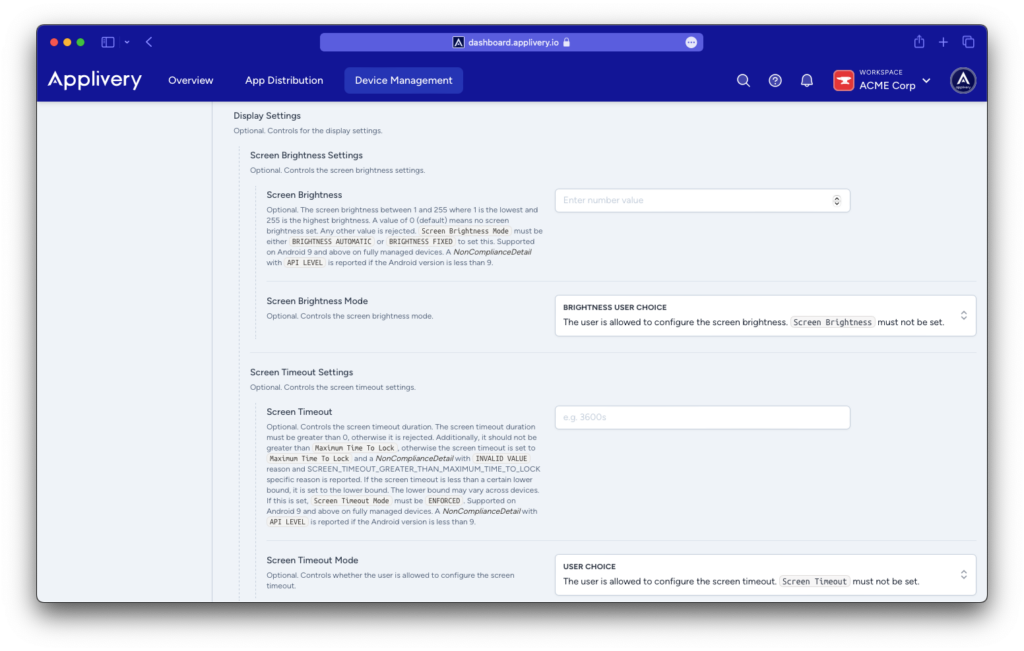
We’re excited to announce the latest update to the Android Management API, which now includes advanced display settings management for IT administrators.

  • Screen Brightness Settings: Admins can now remotely set and adjust screen brightness, enhancing user experience and saving battery life.
  • Screen Timeout Settings: Set the screen timeout duration to optimize device performance and power usage.

These features ensure that Android devices under your management are always operating at peak efficiency, contributing to both better user satisfaction and energy conservation.
Apple Smart Enrollment Enhancements

Login Providers

The SSO providers configured at the workspace level will now be applied uniformly. However, you can also configure a specific integration at the smart enrollment level by clicking Override. This flexibility allows for more tailored device management solutions.

Auxiliary Fields

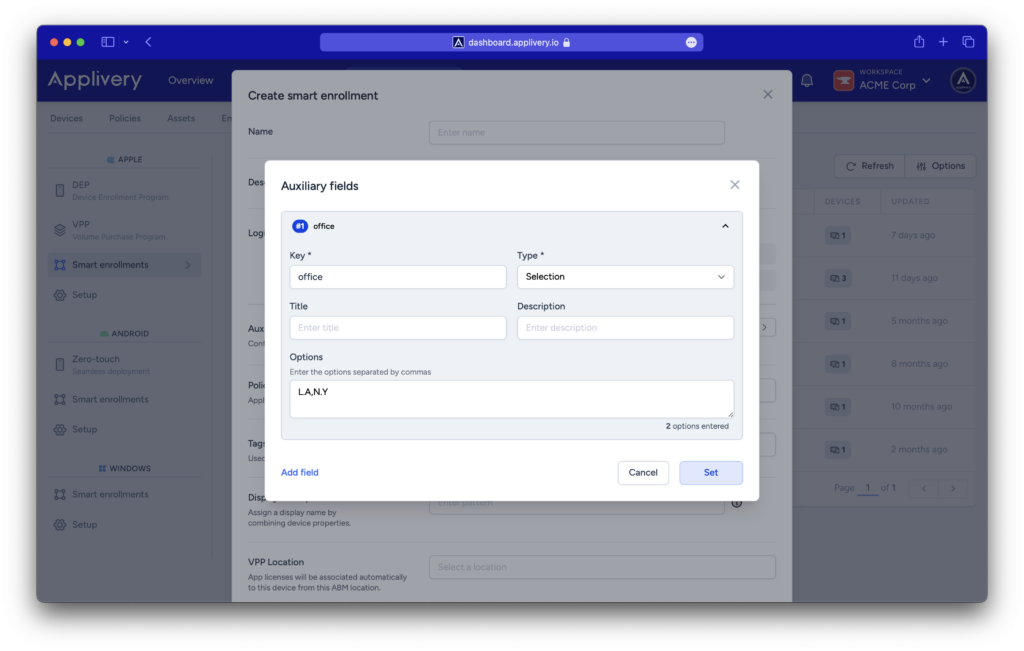
You can now add auxiliary fields during smart enrollments to configure device tags seamlessly. This feature simplifies the organization and categorization of devices, making it easier to manage large fleets.

Display Name Pattern

Assign display names by combining device properties with available interpolation tags. This helps in quickly identifying and managing devices within your network.

For more details, take a look at our latest article or follow this link to our documentation.
🚨 New Zero-Touch Customer Portal Launched 🚨

Android announces that their new and improved Zero-Touch Customer Portal is now live! Released in early June, it features a refreshed user interface and enhanced functionality, simplifying IT admins’ management of zero-touch devices.

Migration Timeline

Starting next month (July), Android will commence migrating all customers to the new portal. After migration, the old portal will no longer be accessible.

Action Required

Explore the New Portal: To familiarize yourself with the updated portal, click the new tab visible in your current customer portal.

Applivery’s June update streamlines device management with important information about advanced display settings for Android, Apple Smart Enrollment enhancements, and the launch of the new Zero-Touch Customer Portal. Elevate your technology experience today, adopt the latest features, and secure your privacy in every corner of the vast digital network.

Don’t get left behind—step into the future with Applivery!

Applivery dashboard interface with G2 Fall 2025 awards: Best Support, High Performer EMEA, Momentum Leader, and Easiest To Do Business With.
Get the insights that solve advanced UEM challenges

Join our briefing for technical guides and advanced UEM strategies that help you get more done with less manual effort.

Stay Connected
Explore more posts