

Applivery provides full support to the Android Enterprise ecosystem, a Google-led initiative to enable the use of Android devices and apps in the workplace. The program offers APIs (mainly the Android Management API and Google Play API) and other tools for developers to integrate support for Android into their enterprise mobility management (EMM) solutions.
Applivery has become one of the most powerful EMM (Enterprise Mobility Management solution) as described and certified by Google under the Android Enterprise EMMs Solutions Directory. We are one of the very few companies worldwide providing support to the main 4 management sets and the only one that has created such an easy-to-use interface to interact with the Google APIs.
Below you will discover the most important concepts about Android Enterprise and Applivery MDM solution for Android.
Android Device Management - Key Features #

Policy Templates #
A comprehensive library of pre-configured policy templates to save operational time.

Kiosk Mode #


Usage Analytics #
Location tracking, and app usage to provide a deep understanding of how devices are used.

Remote Support #

Smart Zero Touch #

Managed OS Updates #

SSO Integrations #
Access devices, apps, and corporate resources with a single set of credentials.

Advanced App Distribution #
Save time by automating application distribution, and try our best-in-class CI&CD tool.
Below you will discover the most important concepts about Android Enterprise and Applivery MDM solution for Android.
Management sets #
- Work Profile: Enables platform-level separation of work apps and data. Enterprises have control over all data and security policies within the work profile. Outside the work profile, the device remains suitable for personal use—ideal for BYOD deployments.
- Full device management: Provides full MDM and app management for granular control over company-owned devices. Choose from 80+ settings to enforce and benefit from Android’s full suite of app management features. This option is designed for devices intended primarily for corporate use
- Dedicated device: Transforms company-owned devices into purpose-built devices. Lock them down to a single app or suite of apps to serve specific employee or customer-facing scenarios. Enforce an extended range of security policies to prevent users from escaping apps and accessing the lock screen.
- Mobile App Management (MAM): Benefit from Android’s full suite of enterprise app management features combined with basic device security. Distribute public and private apps, curate the Play Store on user’s devices, and restrict access to work apps if a device doesn’t meet minimum password policies.
Android Device Policy #
All Android devices that an organization manages through the Applivery console must install the Android Device Policy during setup. Android Device Policy is an app supplied by Android that automatically applies the management policies set in your EMM console to devices.
The installation of that App will be different depending on the management scenario:
- Work profile and MAM: Employees or IT Admin will be responsible for the installation of the Android Device Policy App from the Google Play Store. However, Applivery will guide the process by email.
- Full device and dedicated device management: The Android Device Policy app will be automatically installed during the device setup.
Managed Google Play #
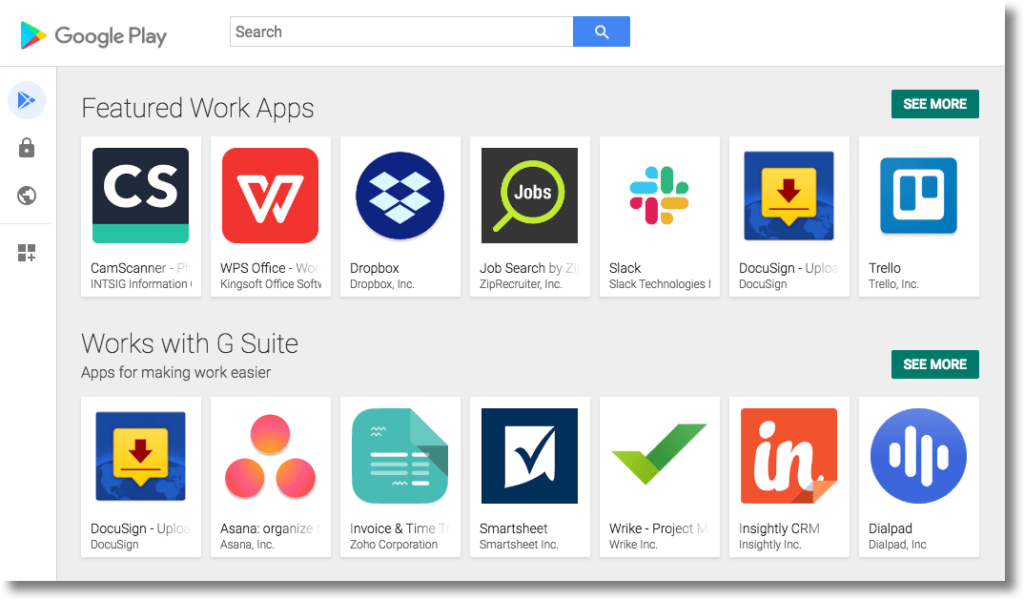
Managed Google Play is an enterprise version of Google Play that facilitates certain app management capabilities for Android Enterprise solutions. It combines the familiar user experience and app store features of Google Play with a set of management capabilities designed specifically for enterprises. It provides the following features:
- Public app search.
- Basic private app publishing.
- Web app publishing.
- App organization.
On managed devices, managed Google Play is the user’s enterprise app store. The interface is similar to Google Play—users can browse apps, view app details, and install them. Unlike the public version of Google Play, users can only install apps from managed Google Play that their organization approves for them.